
09 · Press
Accreditations Journalists asking to cover an event.
In ERAPress › Accreditations
Who uses itOrganizer
Journalists and photographers request an accreditation for an event from the press area of the website. Here you read each request and decide.
What it is for
Before each event you check who asked to cover it, look at their publication and insurance, and approve or refuse. An approved journalist receives by email the press rules of the event, the media kits of the championship and the link to the MEDIA pass. If something changes, you can withdraw an approved accreditation and the MEDIA pass stops being valid.
Before you start
- Upload the press rules of the event as the document Press / media rules in Events: ERA links them in the approval email.
- Upload the championship's media kits in Media kit.
Step by step
- Open the page. Go to Press › Accreditations and choose the championship and the event. The list shows the Journalist, the Publication, what the request Covers, when it was Requested, the Status and the Decision. Requests waiting for you come first.
- Open a request. Click Decide on a request still Requested, or Open on one already decided.
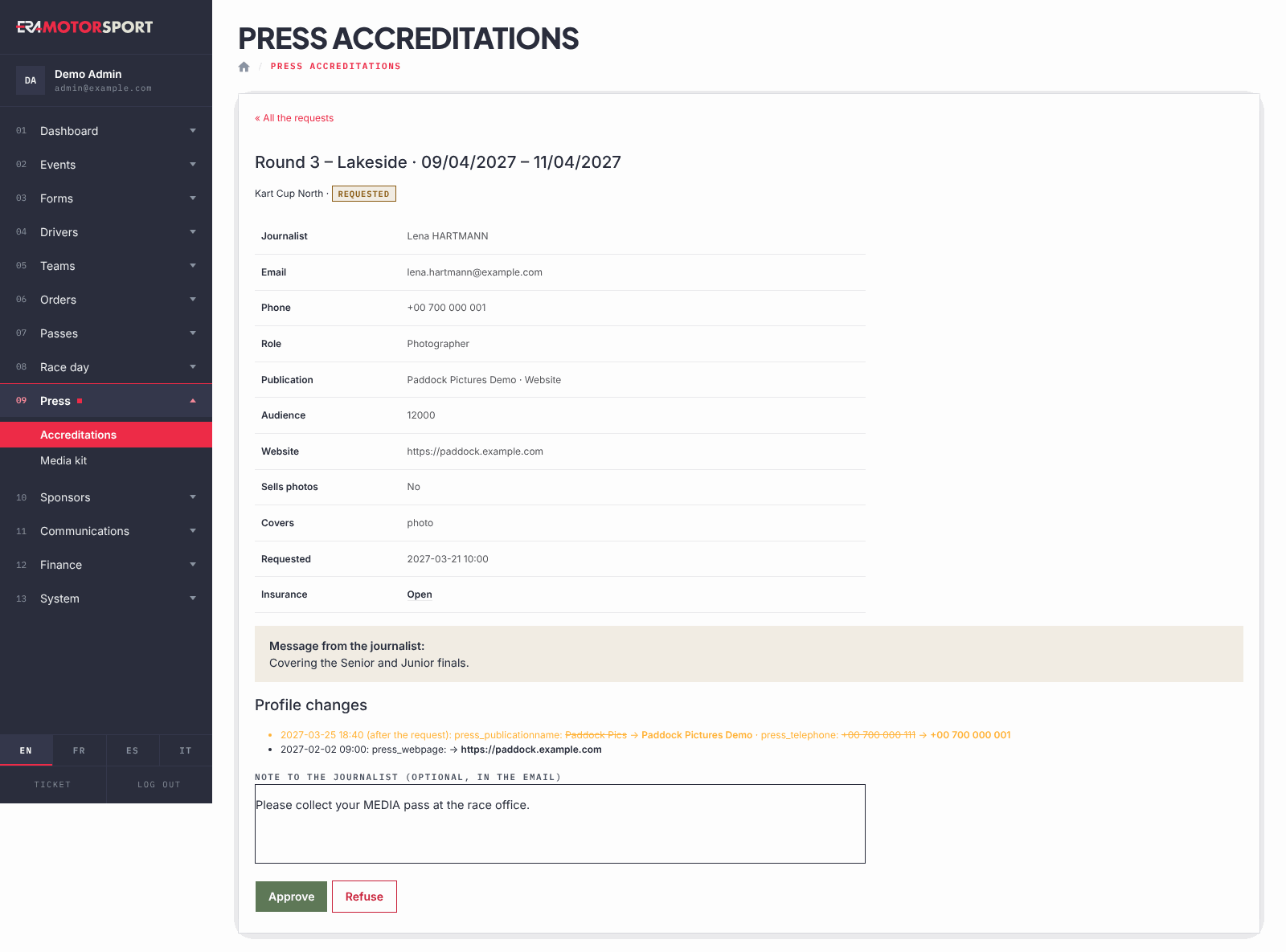
- Check the request. The card shows the journalist's details, role, publication, audience, website, whether they sell photos, and the Insurance document (Open to view it; "missing" in red if there is none). A Message from the journalist: appears if they wrote one. Under Profile changes, changes made after the request are highlighted.
- Decide. Write a note if you want (it goes in the email) and click Approve or Refuse. Refusing asks for confirmation. The journalist is told by email, in the language of the request.
- Withdraw an accreditation. On an approved request write the reason and click Withdraw, then confirm. The journalist is told and the MEDIA pass is no longer valid; a pass saved in the phone wallet stops being valid within about 15 minutes.
- Go back. Click « All the requests to return to the list.
What ERA checks
- Only a request still Requested can be approved or refused. If someone else decided it a moment before, ERA says it had already been decided.
- Only an Approved accreditation can be withdrawn.
- The card shows who decided and when, with the note.
- You see only the requests of your championships.
Common problems
| What happens | What to do |
|---|---|
| "This request had already been decided." | Someone else decided it. Reload the list to see the decision. |
| The approval email has no press rules link. | The event has no Press / media rules document. Add it in Events; the journalists approved before do not get a new email. |
| The insurance shows "missing". | The journalist did not upload it. Refuse with a note asking for it, or contact them. |
| A journalist approved by mistake. | Open the request and Withdraw it. |
See also
Something does not match what you see in ERA? Write to us from the contact page.