
Frequently asked questions Short answers for the desk and the office.
A driver paid, but ERA shows the entry as to pay. What do I do?
Usually the payment was made outside the website card payment: bank transfer, cash, a sponsor. In the office, open the entry card and press Set Payment to PAID, with method, date and amount. At the track, tick Entry collected at the driver desk and save. If the entry is part of a team order, the payment is recorded in the team card for all its drivers; if a sponsor pays, use Paid by the sponsor in Sponsors.
A driver has lost the QR code.
The QR code contains only the driver's email. At the desk, type the email in the scan box of the track scanner and press Open, or find the driver in the list below it. To send the QR code again by email, use Drivers › Send QR codes, find the driver by race number, last name or email and press Send QR code (Send QR codes).
A season pass driver shows as "to check", but we accepted him last race.
That is correct. A season pass is accepted race by race: accepting the driver at Round 2 does not accept him at Round 3. Accept him again at this race. See Selling a season pass.
How do I change a race number?
For one driver, in the entry card or at the driver desk. For a whole category, in Drivers › Race numbers: change the numbers in the table and press Save the numbers (Race numbers). A number must be unique in the same category at the same race, season passes included. If it is already used, ERA does not change it and proposes the nearest free number of the range.
Why can't I delete a category?
A category used by a form or with entries cannot be deleted. Switch it off instead: open it and set Status to Off. It will not appear in new forms, and past events keep it. See Categories.
Why can't I delete a form?
A form with registrations, cancelled ones included, cannot be deleted. Archive it: in Forms › Forms press the archive icon on the row of the form (Archive (closes it on the website)). It leaves the list and closes on the website; its registrations stay as history. See Forms.
Why can't I delete a competition type, a championship or an organizer?
ERA deletes only what nothing uses. A competition type used by a championship, a championship with events or forms, an organizer of a championship stay. A championship can be deleted only by a superadmin, and only when empty: otherwise set On the website to Hidden in its card. See Competition types, Championships, Organizers.
How do I get the race-day sheets as PDF?
No-appeal declarations, technical checks, pre-grid, transponder return and entry sheets open as pages ready to print. Press Print (or Print all), then in the print window choose "Save as PDF" as the printer. See Technical checks.
In which language are the sheets printed?
In the language of the championship, not in yours: Language of the race-day prints in the General tab of the championship card. A French steward and an Italian race office print the same sheets. See Championships.
How do I change the language of ERA?
At the bottom of the menu, choose EN, FR, ES or IT. ERA remembers the choice for your account. It does not change the language of the race-day prints, which follow the championship. See Profile.
An organizer cannot see a championship.
Each organizer account sees only the championships ticked in its card. A superadmin opens System › Administrators, opens the user, ticks the championship under Championships and saves. The user sees it after signing in again. See Administrators.
A driver turns up at the track without registering.
Type or scan his email at the track scanner. ERA says he is not registered and offers one button per form of the event, also forms closed online. Fill in the form at the counter, collect the money and press Register and mark as paid. See The race day, hour by hour.
The tyre desk shows nothing to deliver.
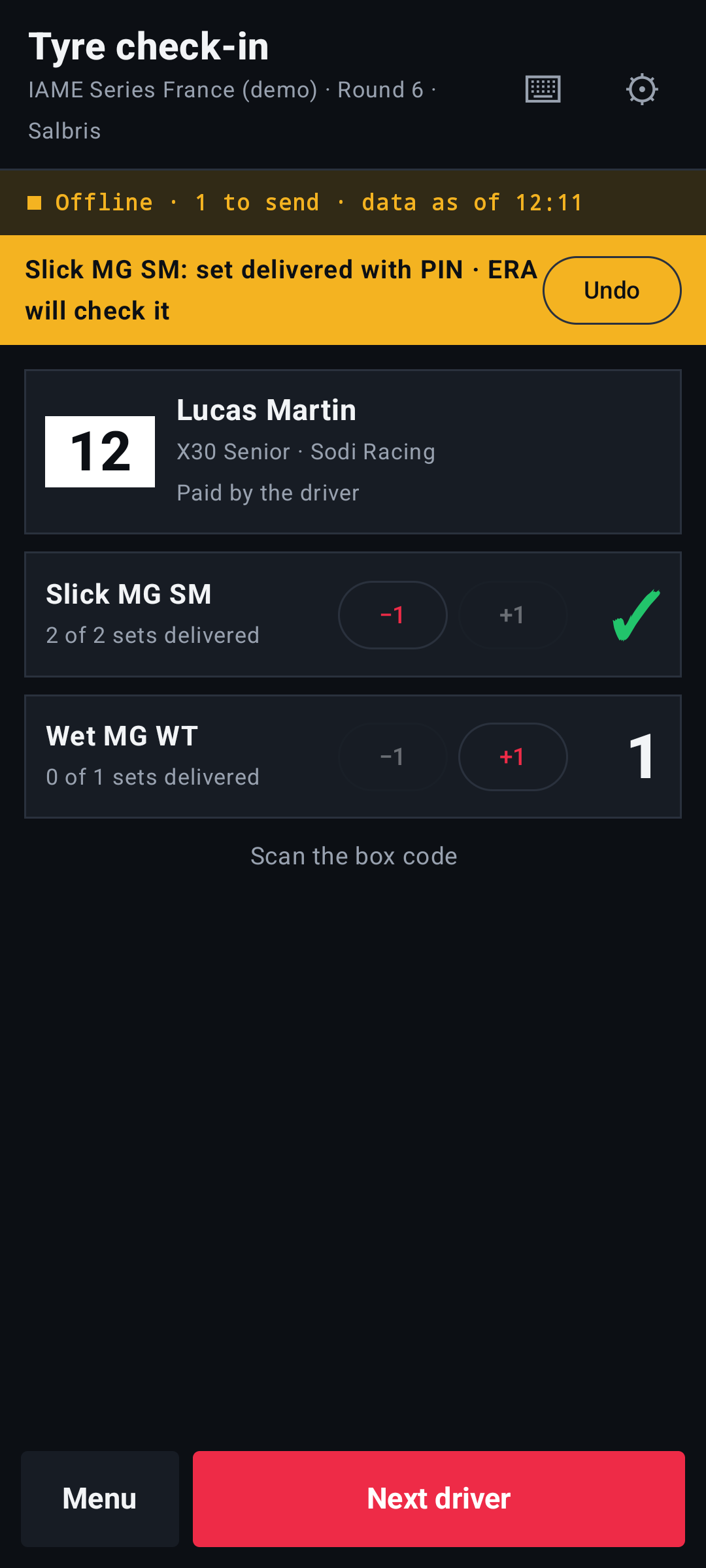
Who pays collects. Tyres bought by the team are collected with the team's QR code, not with the driver's; tyres bought by the driver, with the driver's. Check also that the order or reservation is paid. See Tyre check-in.
The network at the track is down.
The handhelds with the ERA Race day app keep working: they check every scan on the event data they downloaded and send everything to ERA when the network is back. If the handhelds and ERA are both out of use, work on the Excel file of Backup for the race day, downloaded the evening before, and enter the deliveries in ERA afterwards. See Devices.
The invitations were not sent.
If ERA warns that the invitation email has no text, write the Driver invitation in System › Email settings or in the Messages tab of the form. Drivers already invited, already registered or with an invalid email are skipped on purpose. To send one invitation again, open it from Drivers › Sent invitations and press Save and send the invitation again. See Inviting drivers and teams.
My duplicated form still has last year's categories.
The copy keeps the categories of the original form, shown with "(off)" once you have copied the categories for the new season. In Base & categories untick them, tick the new copies, write the prices and save. See A new season.
Can I change a form that already has entries?
Yes, with limits that protect the answers already given. A category with registrations stays in the form. Championship and type are fixed. A field with answers can be moved, hidden, made optional and get a new help text, but keeps its name and type and cannot be deleted. See Form editor.
The camera does not open at the scanner, or the barcode reader does nothing.
The reader is chosen per championship: Pass reader in the championship card, Webcam or Barcode scanner. With the barcode scanner the page keeps its box ready: a light next to it says Reader ready; if it is off, tap the page once. See Track scanner.
Can I upload a big photo?
Yes. ERA reduces large photos by itself when you upload them (long side 2400 px): the news images, staff photos, pass backgrounds, avatars, team logos and kart photos, and the photos and licence copies of the driver desk, the entry card and the team card. The website does the same with the photos drivers and teams upload. A news image can weigh up to 40 MB. Two things are never reduced: the event gallery, because its photos can be downloaded or sold at full resolution, and the poster template, which is printed. GIFs are left as they are.
How do I open the registrations on a set date?
In the form editor, tab Base & categories, pick Registrations open and save. Until then the website shows "Opens on…" with the button off; at that time the form opens by itself. Leave it empty to open now.