
03 · Forms
Form templates Starting points for new forms.
In ERAForms › Form templates
Who uses itSuperadmin
A template is the set of pages and fields a new form starts from. Only a superadmin can manage templates; organizers choose one in New form.
What it is for
Templates keep the forms of different championships consistent and save organizers from building every form field by field. When a form is created from a template, its pages and fields are copied into the form: changing a template later never changes the forms already created.
Step by step
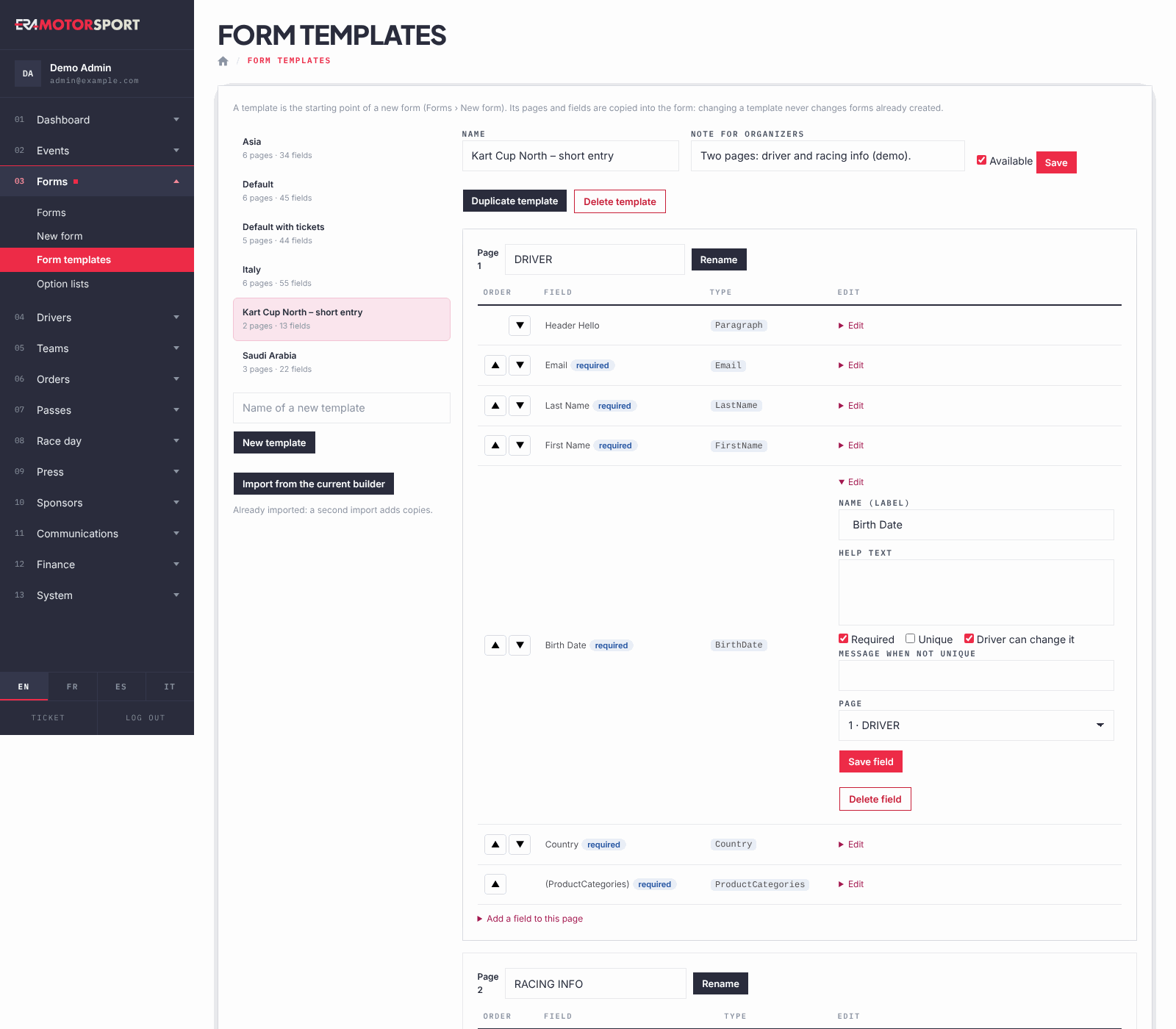
- Open the page. Go to Forms › Form templates. The templates are listed on the left with their number of pages and fields. An organizer who opens the page sees only a message that templates are managed by administrators.
- Create a template. Write the Name of a new template and click New template. ERA creates it with the fields every form needs: the welcome text, email, last name, first name and category. If there are no templates at all, Import from the current builder creates the standard set once; a second import adds copies.
- Set name and note. With the template open, change the Name, write a Note for organizers (they see it in New form), tick Available to offer it in New form, and click Save.
- Arrange pages and fields. Each page is a box. Use ▲ and ▼ to reorder the fields, Rename to rename a page, and Add page to add one. Delete page appears only on an empty page.
- Edit or add fields. Click Edit on a field to change its label, help text, Required, Unique, Driver can change it and Page, then Save field. Click Add a field to this page, choose the Type and click Add field. The field types are the same as in the form editor.
- Copy or delete a template. Duplicate template makes a copy to change. Delete template removes it after a confirmation; forms already created from it do not change.
What ERA checks
- Only a superadmin can create, change or delete templates.
- The fields every form needs (email, first name, last name, category and the welcome text) cannot be deleted and their name is fixed.
- A template has only one field of each type, except text blocks.
- A page can be deleted only when it has no fields: move or delete them first.
- A template that is not Available is not offered in New form.
Common problems
| What happens | What to do |
|---|---|
| A template is missing in New form. | Open it here and tick Available. |
| A change to the template does not appear in a form. | Templates are copied when the form is created. Change the form itself in the editor. |
| "The template already has a field of this type." | Use the existing field, or add the second one in the form editor if it is a generic field. |
See also
Something does not match what you see in ERA? Write to us from the contact page.