
03 · Forms
New form A form from a template.
In ERAForms › New form
Who uses itOrganizer
Create a new registration form starting from a template. The form is created private and without categories: you finish it in the editor.
What it is for
Use this page when a championship needs a form it never had, for example a first season or a new kind of event. To make this year's form from last year's, use Duplicate in Forms instead: it also copies categories, prices and fields.
Before you start
- At least one template must exist. If there is none, ERA shows a warning: a superadmin creates templates in Form templates.
- The events of the championship should already exist in Events. You can also choose the event later.
Step by step
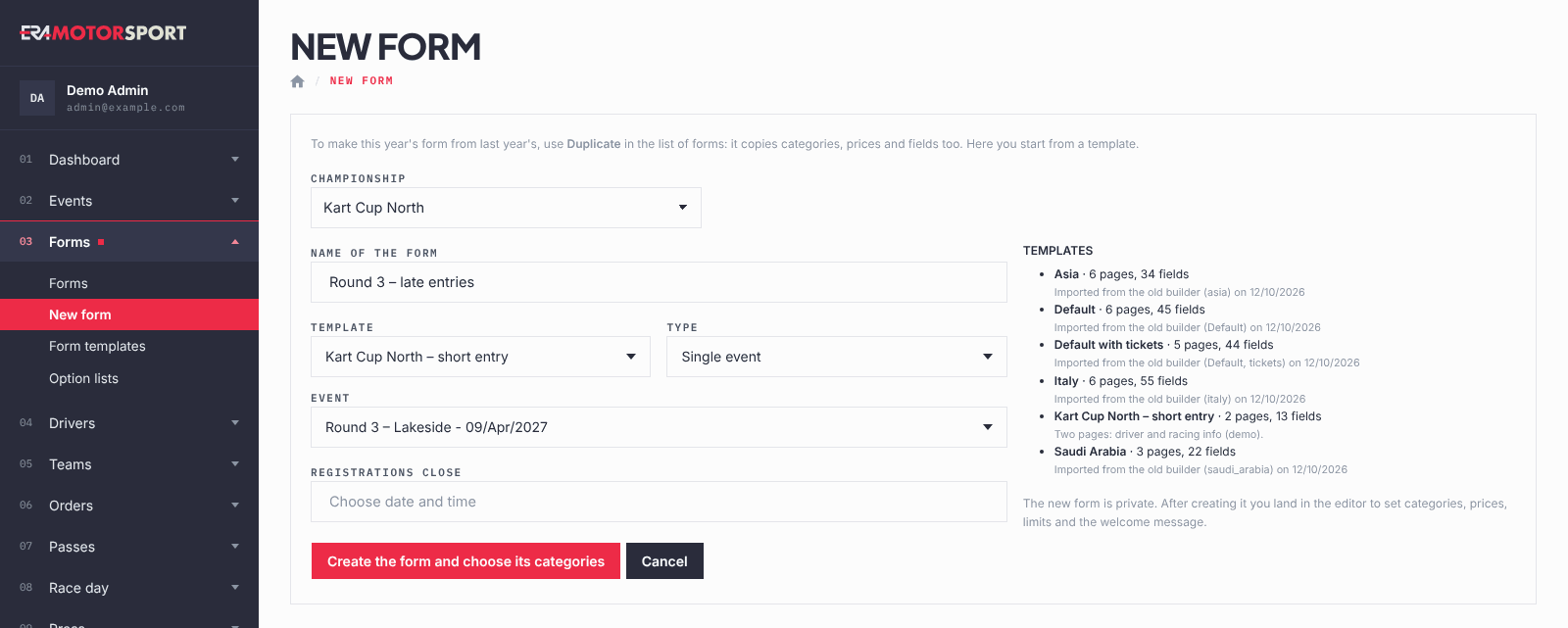
- Open the page. Go to Forms › New form and choose the Championship.
- Name the form. Write the Name of the form, as drivers will see it on the website.
- Choose the template. Pick one in Template. On the right, ERA lists each template with its number of pages and fields and a short note.
- Choose the type. In Type choose Single event or Season pass.
- Choose the event or the rounds. For a single event pick the Event, or leave it to choose later. For a season pass tick the Rounds covered: none ticked means every race in the year of Registrations close (every race when there is no closing date). See Selling a season pass. Only events not finished yet are listed.
- Set the closing date. Pick the date and time in Registrations close from the calendar. You can leave it empty and set it later.
- Create the form. Click Create the form and choose its categories. ERA opens the form editor on the Base & categories tab: tick the categories with price and limit, write the welcome message, then make the form public.
What ERA checks
- The name is required and a template must be chosen.
- The closing date, if written, must be a valid date: choose it from the calendar.
- The event must belong to the chosen championship.
- The new form is always private, with no categories, until you complete it in the editor.
Common problems
| What happens | What to do |
|---|---|
| "There are no templates yet." | Ask a superadmin to create or import them in Form templates. |
| The event is not in the list. | Only events not finished yet are listed. Check the event dates in Events, or choose the event later in the editor. |
| The form is not on the website. | It is private. Open it in the editor, set Status to Public and click Save. |
See also
Something does not match what you see in ERA? Write to us from the contact page.