
02 · Events
Results Classifications on the website.
In ERAEvents › Results
Who uses itOrganizer · Superadmin
Results holds the classifications of an event. The published PDFs show on the event page of the website.
What it is for
After each session or at the end of the day the race office uploads the classifications, so drivers and teams find them on the website. You can hide a wrong file at once and upload the right one.
Step by step
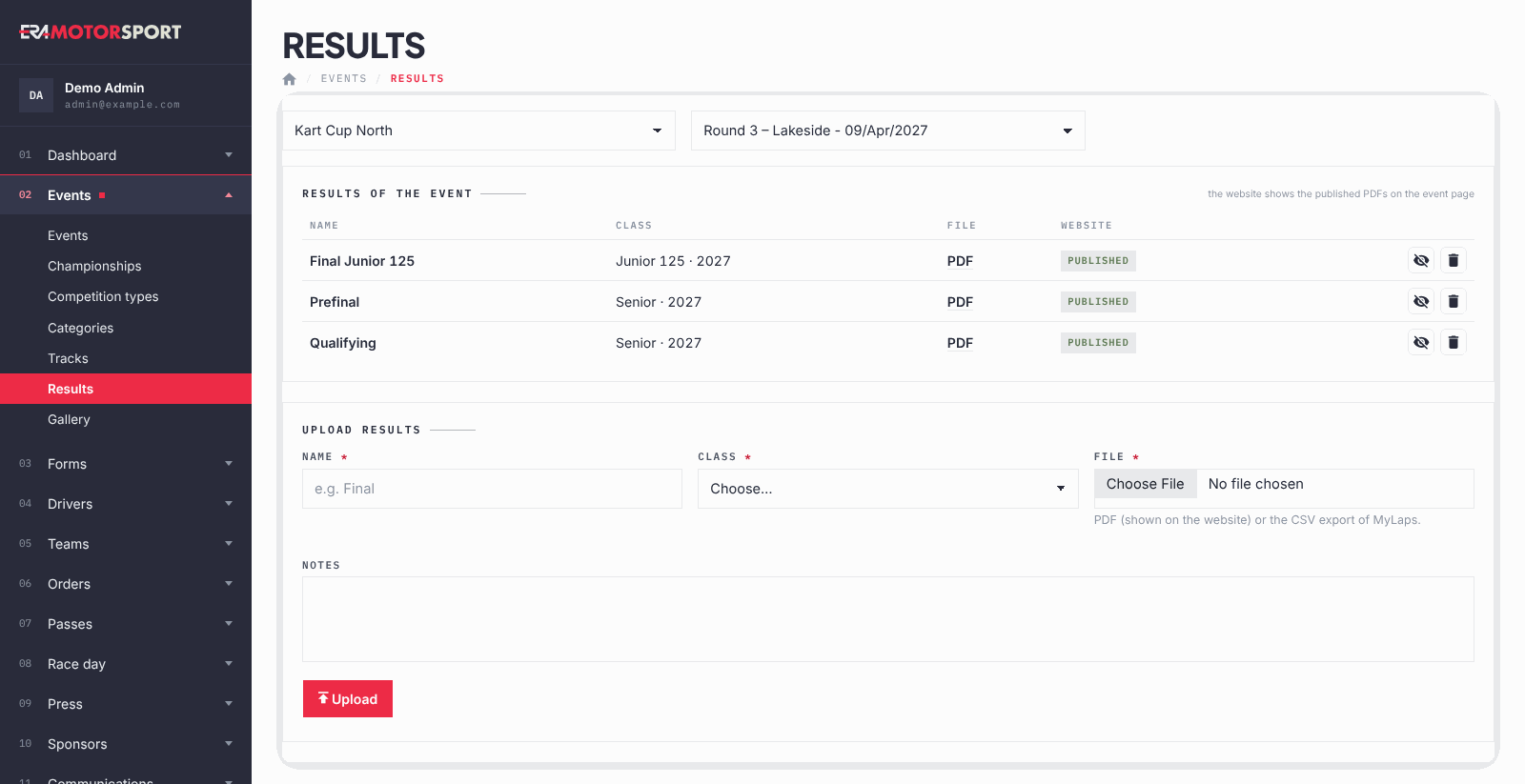
- Open the page. Go to Events › Results and choose the championship and the event.
- Check what is there. Results of the event lists every result with its Name, Class, File and whether it is on the Website.
- Upload a result. Under Upload results write the Name (for example Final), choose the Class and the File: a PDF, or the CSV export of MyLaps. Add Notes if needed and press Upload.
- Publish or hide. A PDF is published on the website as soon as it is uploaded. The eye icon hides it or publishes it again.
- Delete. The bin deletes the result after a confirmation.
What ERA checks
- Name, Class and File are required.
- The classes offered are the active categories of the event or of the championship, plus any category with entries in the event.
- A PDF must really be a PDF file.
- A CSV must be a MyLaps export: its first row starts with Pos, Start Number, Competitor, Class. Otherwise nothing is imported. A CSV without result rows is refused too.
- The website shows only PDFs. An imported CSV stays in ERA and the list says so.
Common problems
| What happens | What to do |
|---|---|
| This is not a PDF file. | Export the classification again as PDF from the timing software and upload it. |
| The CSV is refused | Export the classification from MyLaps as CSV without changing the columns. Or upload the PDF. |
| The class is not in the list | Activate the category, or check that it is valid for this event in Categories. |
| The results do not show on the website | Check that the file is a PDF and is published. The event documents also have a Result files row: the website shows the results of this page first. |
See also
Something does not match what you see in ERA? Write to us from the contact page.