
12 · Finance
Event balance What an event earned and cost.
Who uses itOrganizer
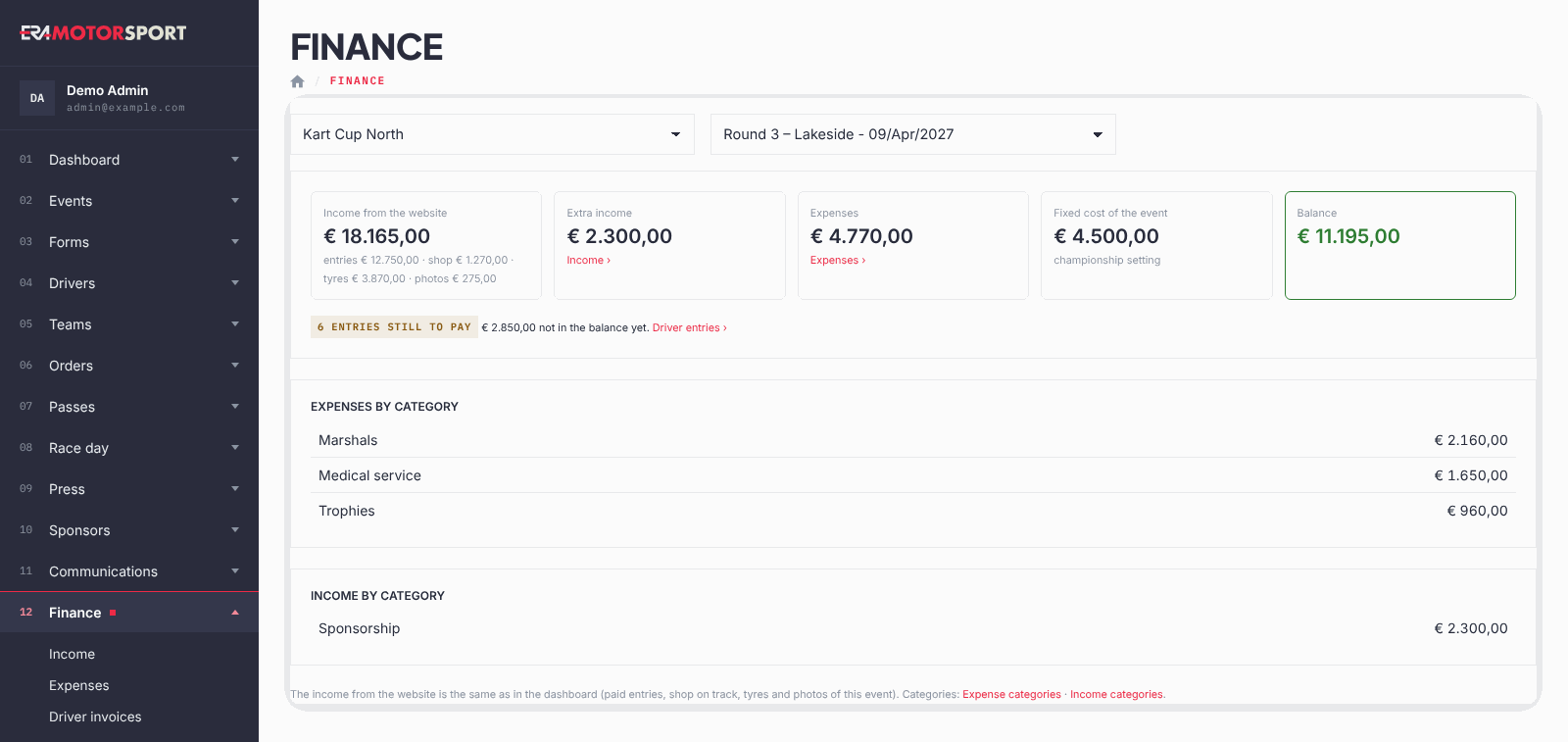
The balance of one event on a single page: what came in through the website, what you added by hand, what you spent, and the result.
What it is for
Use it after an event, or while you are still adding the bills, to see whether the round made or lost money. It puts together the payments ERA already knows and the extra income and expenses you write in Income and Expenses.
Step by step
- Open the page. Click Finance at the top of the Income, Expenses or Driver invoices page, then choose the championship and the event.
- Read the income from the website. Income from the website is the money paid through ERA for this event, split into entries, shop, tyres and photos. It is the same figure as in the dashboard.
- Read the extra income and the expenses. Extra income and Expenses are the totals of the lines written by hand for this event. The links under them open the pages where you add them.
- Read the balance. Balance is the income from the website plus the extra income, minus the expenses and, when the championship has one, the Fixed cost of the event. It is green when positive, red when negative.
- Check what is still to pay. If some entries are not paid yet, a yellow note shows how many and, when known, the amount not yet in the balance. Driver entries › opens the entries.
- Look at the categories. Below, the expenses and the extra income are added up by category, the largest first.
What ERA checks
- Only paid payments count in Income from the website. Entries waiting for payment are shown apart and are not in the balance.
- The page shows one event at a time: choose both the championship and the event.
- Amounts are in euro.
Common problems
| What happens | What to do |
|---|---|
| The page shows only a message. | Choose the championship and the event at the top. |
| Extra income or Expenses is € 0,00. | No line was written for this event yet. Add them in Income or Expenses. |
| The income from the website seems low. | Check the entries still to pay: they enter the balance only when they are paid. |
See also
Something does not match what you see in ERA? Write to us from the contact page.