
01 · Dashboard
Overview The numbers of a championship.
In ERADashboard › Overview
Who uses itOrganizer · Superadmin
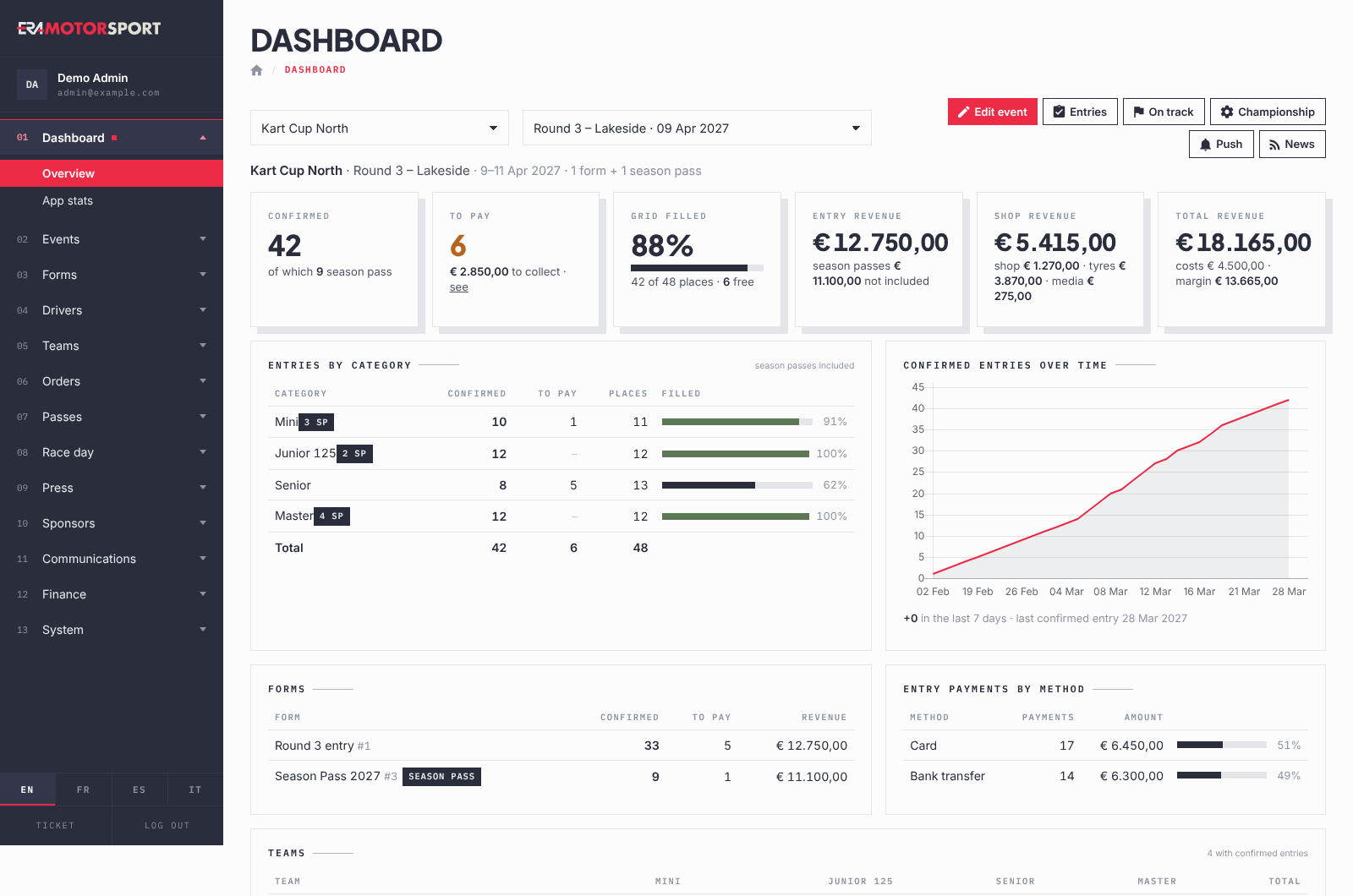
The Overview shows the numbers of a championship in one page: who is entered, who still has to pay, how full the grids are and how much came in.
What it is for
Open it in the office before a round to see if the grids are filling, and after the round to check entries and revenue. It reads the entries and payments already in ERA: there is nothing to type.
Step by step
- Open the page. Go to Dashboard › Overview. It is also the first page a superadmin sees after signing in.
- Choose the championship. Use Select a championship. If you have only one, it is already chosen.
- Choose what to look at. The second list has three groups: Next events, Whole championship and Past events. In Whole championship you find All events, All season passes and each season pass form. With nothing chosen, ERA opens on the next event, or on the last one if the season is over. The choice is remembered by the other pages.
- Read the tiles at the top. Confirmed are the paid entries. To pay are the entries not paid yet, with the amount to collect when a payment is waiting. Grid filled compares the confirmed entries with the places of the event. Entry revenue, Shop revenue and Total revenue show the money in. With All events the third tile is Events: the number of events and the average entries per event. The season pass views show only entries and revenue: Confirmed, To pay, Forms (or Grid filled when the forms have limits) and Revenue.
- Read the tables. Entries by category gives confirmed, to pay, places and filling per category. Confirmed entries over time draws the entries day by day, with the entries of the last 7 days. Forms and Entry payments by method show where the entries and the money came from.
- Check teams, chassis and products. Teams and Chassis count the confirmed entries per category. Long lists show the first 12: use Show all or the search box. Products sold lists the shop and counter orders paid and the tyres reserved.
- Go to work. The buttons at the top open the pages you can use: Edit event, Entries, On track, Championship, Push and News. Organizers and superadmins see all of them; other accounts see only the pages they can open.
What ERA checks
- An entry counts when it has a driver. Confirmed entries are paid; cancelled entries are left out.
- In a single event, the season pass drivers who race there are counted in the entries ("of which … season pass"). Their money belongs to the season: it is in the season pass views, not in the Entry revenue of the event.
- Each payment counts once. A team order that pays several drivers with one payment is not counted once per driver.
- The places of a category are the limit set on the form. A category left without a limit in the form editor counts as 999 places. When the form has no limit value at all, ERA uses the width of the category's race numbers (100-199 gives 100 places) and marks it with *.
- Categories with the same name in different forms of the same event are shown on one row, with the highest number of places.
- Shop revenue adds paid shop and counter orders, confirmed tyre reservations and media reservations of the event.
- When the championship has a fixed cost per event, Total revenue also shows the costs and the margin, for a single event.
Common problems
| What happens | What to do |
|---|---|
| Choose a championship to see its numbers. | Choose the championship in the first list. |
| This championship has no events yet. | Create the first event in Events. |
| Grid filled shows — and no limits set on the forms | Set the limits per category in the form, or the race numbers of the categories. |
| Grid filled shows a very low percentage, a category has 999 places | The category has no limit in the form editor. Set the real limit in the form. |
| No categories on the forms of this selection. | The forms of the event have no categories. Add them in the form. |
| The numbers do not match the money in the bank | Only payments confirmed in ERA count. Check Unpaid shop orders and the entries still to pay. |
| A championship is missing from the list | It is not assigned to you. See The menu and what you can see. |
See also
Something does not match what you see in ERA? Write to us from the contact page.