
07 · Passes
Print passes All the passes of an event.
In ERAPasses › Print passes
Who uses itOrganizer
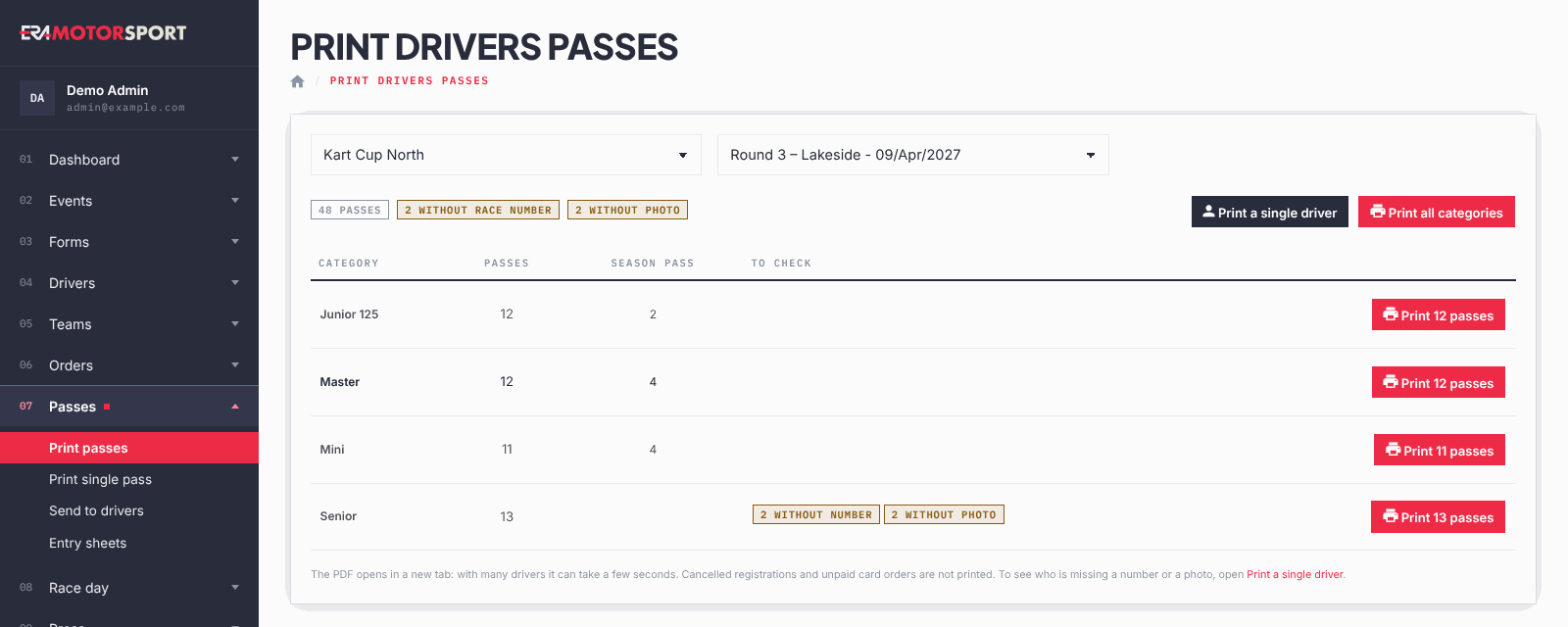
The page lists the categories of an event with the number of passes each one prints, and opens a PDF ready for the card printer.
What it is for
Use it in the days before the race to print the passes of all the drivers entered, category by category. Each pass has two sides in the card format (54 × 86 mm): on the front the background of the championship, the photo, the last and first name and the race number of the driver; on the back the QR code. The QR code contains only the email of the driver, the same as the pass on the website and the Wallet pass, so it can be scanned at every desk of the race day.
Before you start
- The pass background of the championship (front and back) must be uploaded in System › Pass templates. Without it the passes are printed with no background, and the page shows a yellow warning.
- Race numbers and photos should be complete. The page counts the drivers without them, so you can fix them first.
Step by step
- Open the page. Go to Passes › Print passes and choose the championship and the event.
- Check the counters. At the top you see the total of passes and, in yellow, how many drivers have no race number or no photo. The same counters appear on each category row, in the To check column.
- Fix what is missing. To see who has no number or no photo, open Print a single driver: the list shows each driver, and the button Set race number opens the entry.
- Print one category. Press the print button on the row of the category (it shows the number, for example "Print 12 passes"). The PDF opens in a new tab: with many drivers it takes a few seconds.
- Or print everything. Print all categories puts the passes of every category in one PDF.
- Send the PDF to the card printer. Each driver takes two pages of the PDF: front, then back.
What ERA checks
- Only drivers with a valid entry are printed: cancelled registrations and card orders not paid are left out. Entries to pay by bank transfer or at the track are printed.
- The passes include the entries of the event forms and the season passes that cover this event. For an event with "Test" in its name, season passes are not included.
- The Season pass column shows how many passes of the category come from a season pass.
- Only active categories of the event or of the championship are listed. Print all categories also prints the entries whose category is switched off, so the PDF can have more passes than the total shown.
- The counters of drivers without photo look only at the photo of the driver profile. A driver counted there may still get a photo on the pass from one of his registrations.
Common problems
| What happens | What to do |
|---|---|
| Yellow warning No pass background for this championship. | Upload the front and back of the pass in System › Pass templates, then print again. |
| A pass has no photo | The driver has no photo in his profile or in his registrations. Add it, or ask the driver to upload it, then print that pass again from Passes › Print single pass. |
| A pass has no number | Give the race number in the entry, then reprint only that driver. |
| A category shows "no drivers" | Nobody with a valid entry in that category. Check the entries in Drivers › Entries. |
See also
Something does not match what you see in ERA? Write to us from the contact page.