
07 · Passes
Send to drivers Pass, briefing, messages.
In ERAPasses › Send to drivers
Who uses itOrganizer
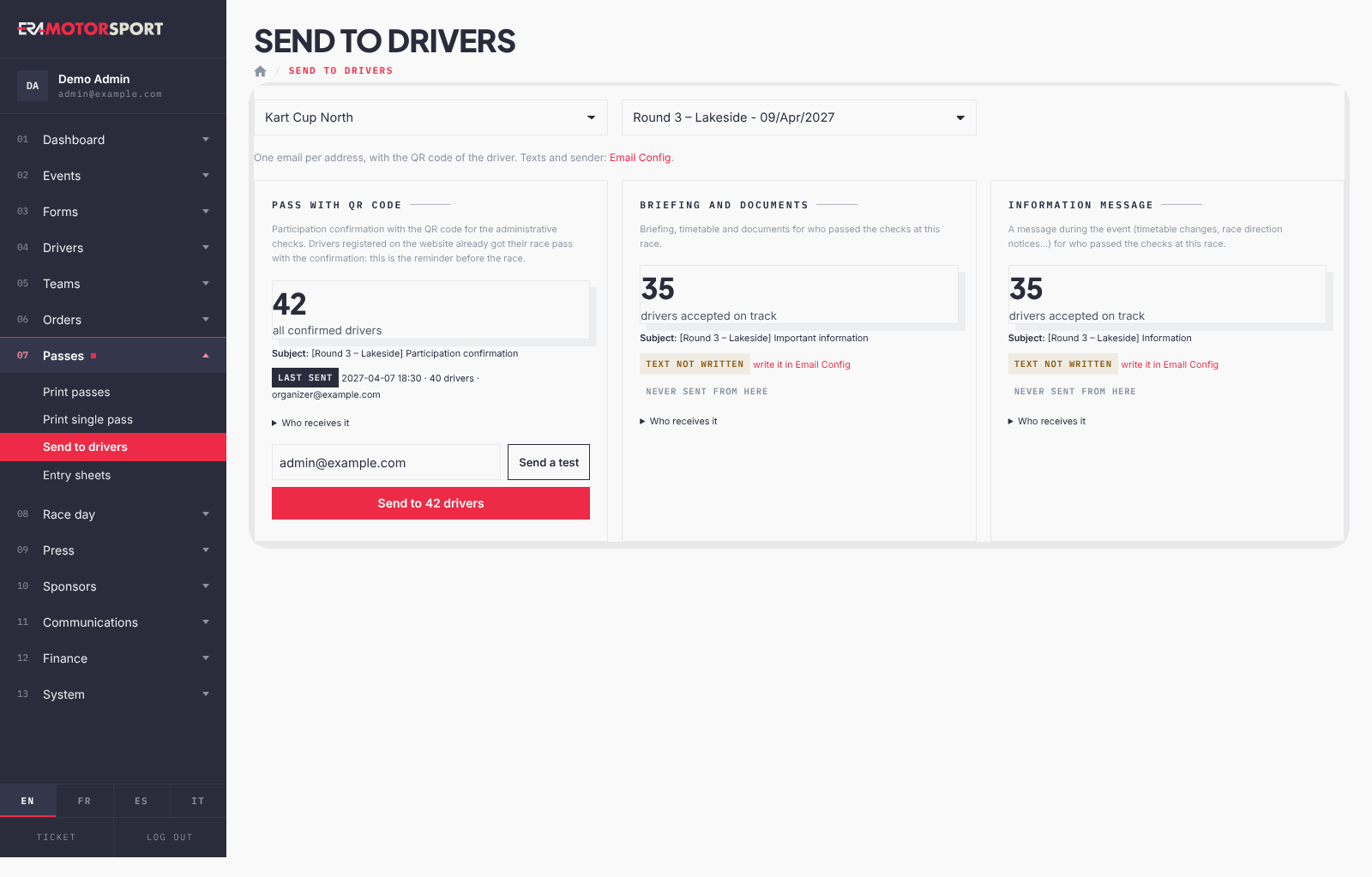
The page sends three kinds of email to the drivers of an event. Each email can carry the QR code of the driver, where the text has the QR code placeholder (the default pass text has it).
What it is for
Before the race, send everybody the participation confirmation with the QR code for the administrative checks. During the event, send the briefing and the documents, or a short message (timetable change, race direction notice), only to the drivers who passed the checks.
| Card | Who receives it | Text |
|---|---|---|
| Pass with QR code | all confirmed drivers of the event, season passes included | the driver pass text, or a default text if you did not write one |
| Briefing and documents | drivers accepted on track at this race | your text only: no default |
| Information message | drivers accepted on track at this race | your text only: no default |
Before you start
Write the texts in System › Email settings. The briefing and the information message have no default text: until you write them, their card shows text not written and cannot be sent. The texts can use placeholders such as the name, the race number and the QR code of the driver.
Step by step
- Open the page. Go to Passes › Send to drivers and choose the championship and the event.
- Check the numbers. Each card shows how many drivers will receive the email, the subject, and when it was last sent from this page (last sent) or never sent from here.
- See who receives it. Open Who receives it for the list with number, name, email and category.
- Send a test. Write your address and press Send a test. You receive the email filled with the data of the first driver of the list.
- Send to everybody. Press the button "Send to … drivers" and confirm. If the email was already sent, the confirmation says when.
- Read the result. A green message says how many emails were sent, and how many failed.
What ERA checks
- One email per address: a driver with two entries in the event receives it once.
- Only confirmed entries with an email address are counted.
- For a season pass, "accepted on track" means accepted at this race: being accepted at an earlier round does not count.
- A send with an empty text is refused.
Common problems
| What happens | What to do |
|---|---|
| The briefing card has no send button | Its text is not written: write it in System › Email settings. |
| "Nobody accepted on track yet" | Drivers are accepted at the on-track desk. Send the briefing after the administrative checks. |
| Some emails failed | The result gives the number. Check the addresses of those drivers and send them the QR code again from Drivers › Send QR codes. |
| A driver says he did not receive the pass | Check that his entry is confirmed and that his email is correct. Ask him to check the spam folder. |
See also
Something does not match what you see in ERA? Write to us from the contact page.