
05 · Teams
All teams Every team account.
In ERATeams › All teams
Who uses itOrganizer · Superadmin
This page lists the team accounts, whatever the event. Here you create a team that is not on the website yet.
What it is for
Teams usually create their account on the website. Use this page to find a team quickly, or to create the account yourself when a team asks the race office to do it, then let the team choose its password.
Step by step
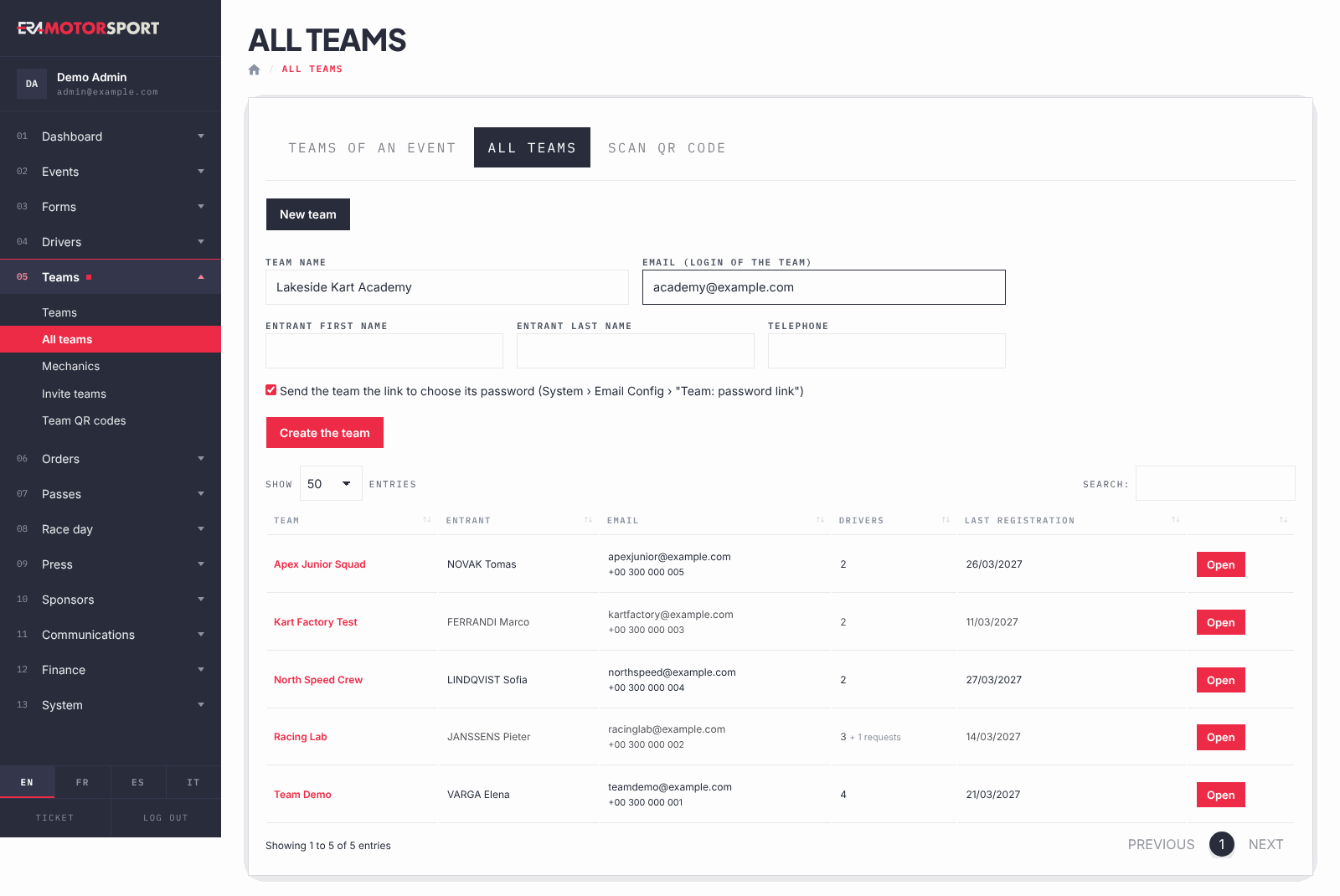
- Open the page. Go to Teams › All teams. You see Team, Entrant, Email with the telephone, Drivers and Last registration.
- Find the team. Use the search box of the table. In Drivers, "+ requests" counts the drivers who have a request from the team and have not answered yet.
- Create a team. Press New team. Write Team name and Email (login of the team); Entrant first name, Entrant last name and Telephone are optional.
- Send the password link. Leave the box ticked to send the team the link to choose its password. The email uses the text "Team: password link for the team account" in Email settings.
- Save. Press Create the team. ERA opens the new team card on the Profile tab.
- Open a team. Press Open or the team name to go to the team card.
What ERA checks
- Team name and a valid email are required.
- The email is the login of the team: ERA refuses a new team with an email already used by another team, and links you to that team.
- An organizer sees the teams that have entries or orders in his championships, plus the teams that have none yet. A superadmin sees all teams.
- Only a superadmin can delete a team, and only one with no drivers, no entries and no orders. The bin icon appears only then.
Common problems
| What happens | What to do |
|---|---|
| Write the team name and a valid email. | Fill in both fields and check the email. |
| The team says it never got the password link. | Open the team card, Profile tab, and send the link again. Check the email address there. |
See also
Something does not match what you see in ERA? Write to us from the contact page.