
05 · Teams
Mechanics Who works on each kart.
In ERATeams › Mechanics
Who uses itOrganizer · Track staff
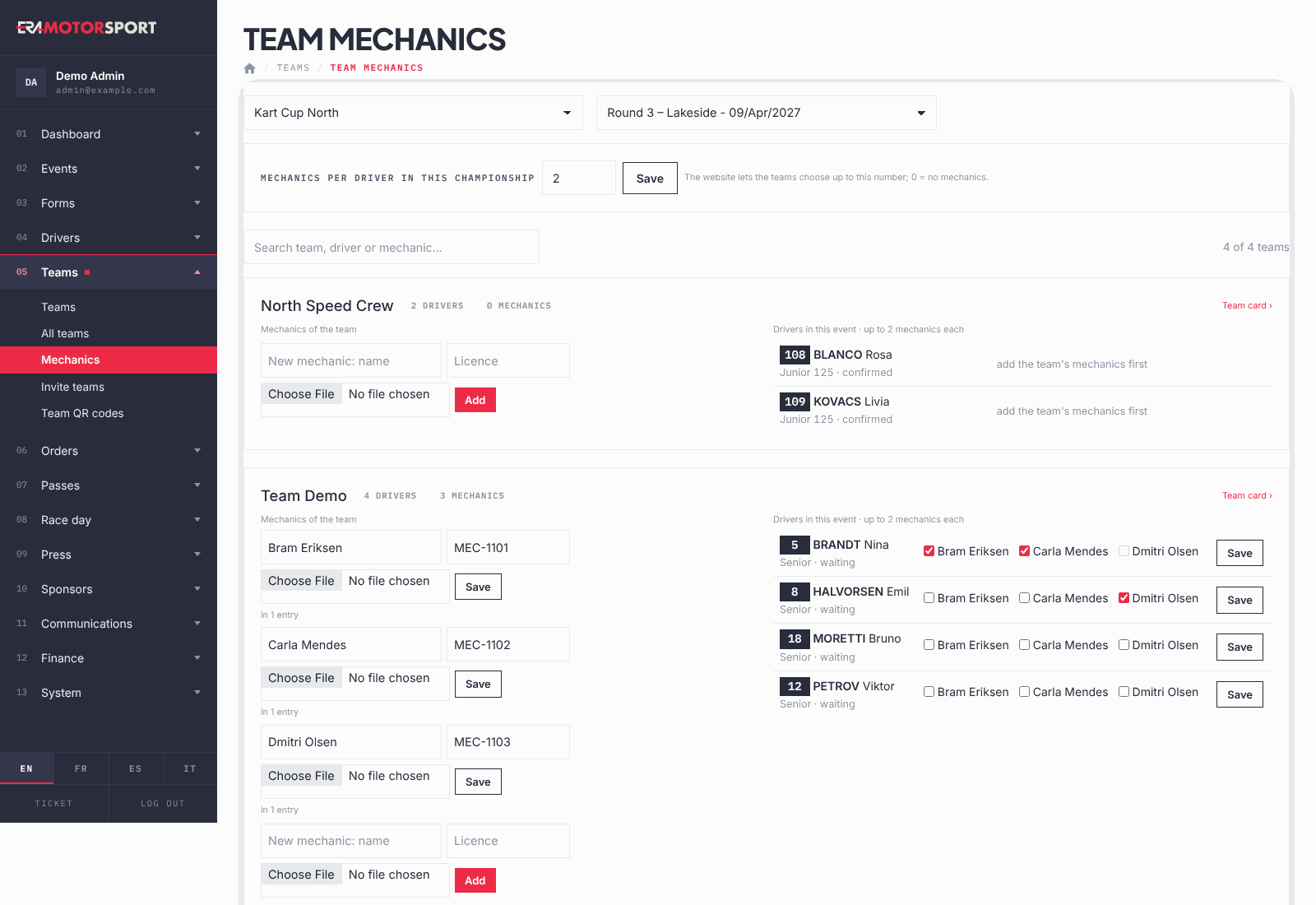
This page shows, for one event, the teams that have drivers entered, their mechanics and the mechanics chosen for each driver. At the top you set how many mechanics per driver the championship allows.
What it is for
Teams choose the mechanics of each driver on the website, up to the number the championship allows. Use this page to set that number and, at the track, to add a mechanic or correct the choice for a whole event without opening the teams one by one.
Step by step
- Open the page. Go to Teams › Mechanics and choose the championship and the event.
- Set the number per driver. In Mechanics per driver write a number from 0 to 10 and press Save. It applies to the whole championship, in ERA and on the website. 0 means the teams choose no mechanics.
- Find the team. Use the search box: it finds a team, a driver (also by race number) or a mechanic.
- Manage the mechanics of the team. Under Mechanics of the team change name, licence or photo and press Save on that line. To add one, fill in the empty line at the bottom and press Add. The bin icon deletes a mechanic who is in no entry.
- Choose the mechanics of each driver. Under Drivers in this event tick the mechanics of the driver and press Save on his row. When the limit is reached, the other boxes are greyed out.
- Open the team. Team card › opens the team card on its mechanics.
What ERA checks
- Only drivers entered by a team in this event appear, from the event forms and from season passes that cover it. Cancelled entries are left out.
- Name and licence are required for every mechanic. The photo is optional, JPG or PNG.
- A mechanic chosen in some entries cannot be deleted.
- A driver cannot have more mechanics than the number set for the championship, and only mechanics of his own team.
- Every change on this page is written in the Action log.
Common problems
| What happens | What to do |
|---|---|
| A driver row says set the mechanics per driver above. | The championship allows 0 mechanics. Set the number at the top first. |
| A driver row says add the team's mechanics first. | The team has no mechanics yet: add them in the left column. |
| This mechanic is in some registrations: take him out of them first, or just rename him. | Untick him for every driver, or change his name instead of deleting him. |
| A team is missing. | It has no driver entered in this event, or all its entries are cancelled. |
See also
Something does not match what you see in ERA? Write to us from the contact page.