
00 · Getting started
The menu and what you can see Sections, entries, championships.
Who uses itOrganizer · Track staff · Superadmin
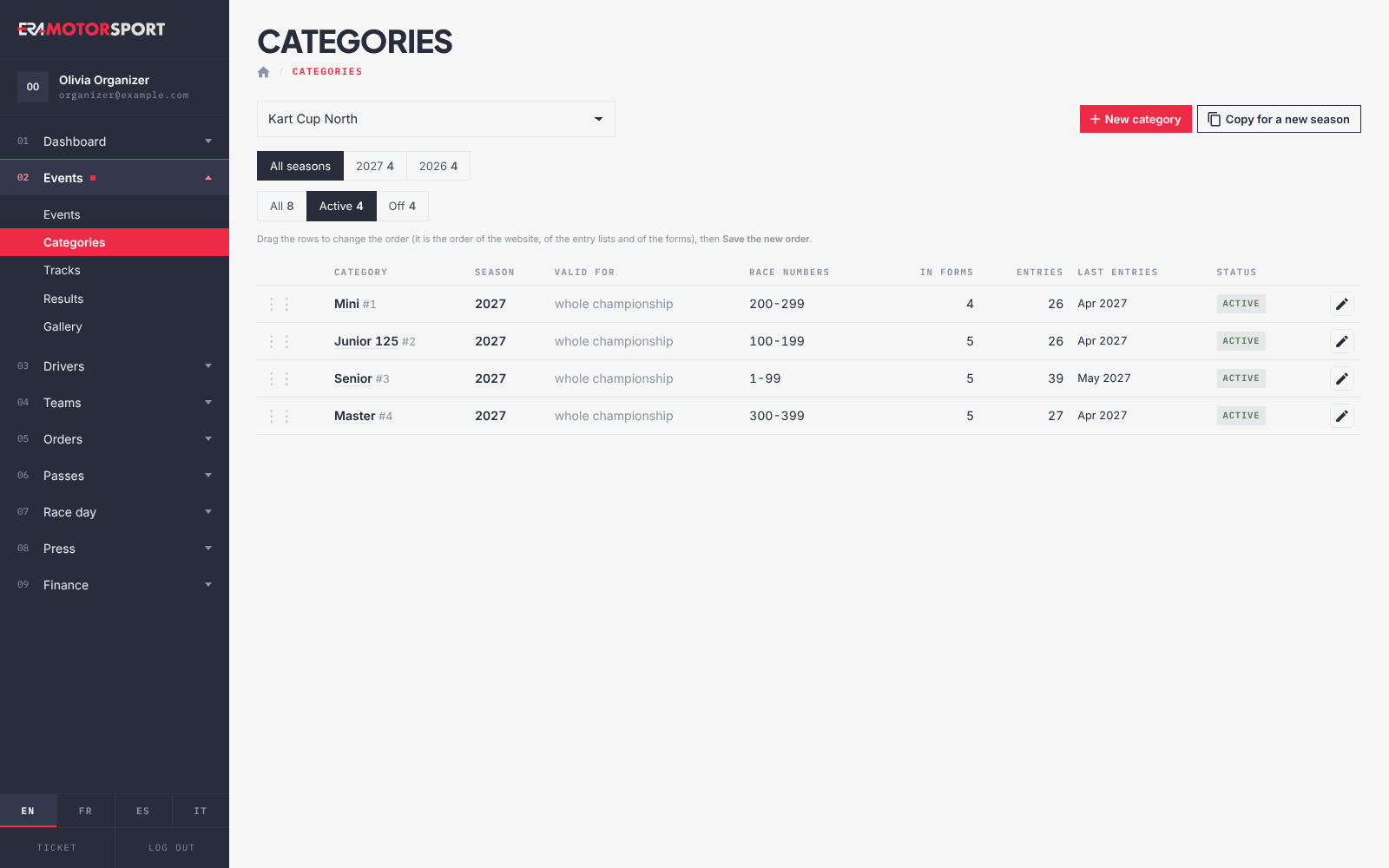
The dark column on the left is the menu of ERA. It shows only the sections and the entries your account can open, and only for your championships.
What it is for
ERA serves many championships and many kinds of staff. The menu keeps each person on their own work: an organizer sees their championships, a tyre desk sees the tyre pages, a superadmin sees everything.
- Superadmin. Sees every section, every entry and every championship. Some actions are only for a superadmin, for example creating or deleting a championship.
- Other users. See the sections and entries that a superadmin gave them, one by one. A superadmin can set them for one user and one championship, or for a whole level: when a user has no entries of their own, ERA uses those of their level. They are set in Administrators and Admin levels.
- Championships. An organizer works only on the championships a superadmin assigned to them. The championship lists show only those.
- Your own list. The Profile page shows your championships and every menu entry you can open, under What you can see.
Step by step
- Read the top of the menu. The ERA logo opens the Dashboard. Under it you see your name and email: click them to open your Profile.
- Open a section. The sections are numbered (01, 02, 03…). Click one to open it and see its entries. The section of the page you are on is already open and its entry is highlighted. The numbers count only the sections you see, so they can differ from a colleague's menu.
- Find the System entries. In System the entries are grouped under Users & access, Catalog & payments, Templates, Integrations and Audit.
- Use the bottom of the menu. EN, FR, ES and IT change the language of ERA. Ticket opens a short form to report a bug: write the Issue title and a description, then press CREATE TICKET. ERA shows the number of the ticket. Log out closes your session.
- Choose the championship and the event. Many pages start with a Select a Championship: list and then a Select an Event: list. The events come in date order, next ones first, then the Passed Events. If you have only one championship, the lists and dashboards that support it choose it for you.
- Move between pages. ERA remembers the championship and the event you chose, for one day, and the next page opens on them. When you choose another championship, the event choice is cleared.
- On a phone. The menu is hidden: open it with the button in the top bar. Close it with the cross, by tapping outside it, or with Escape on a keyboard.
What ERA checks
- Every page needs a session. Without one ERA opens the sign-in page.
- An event, a form, an entry or a category of a championship you do not manage does not open, even with its address: ERA answers that it belongs to a championship you do not manage.
- Actions reserved to superadmins answer Only administrators can do this.
- ERA accepts a change only if it comes from one of its own pages. A form left open too long, or sent from somewhere else, is refused with a message that asks you to reload the page.
Common problems
| What happens | What to do |
|---|---|
| A menu entry a colleague has is missing | A superadmin gives it to you in Administrators. Check your list in Profile. |
| A championship is missing from the list | It is not assigned to you. Ask a superadmin. |
| "Not allowed: … belongs to a championship you do not manage." | The link is for a championship that is not yours. Choose your championship in the list at the top of the page. |
| Page expired: reload and try again. | The page was open too long. Reload it and do the action again. |
| Request blocked: it did not come from ERA. Reload the page and try again. | Reload the page from ERA and try again. Do not send ERA forms from bookmarks of old pages. |
| The page opens on the wrong event | ERA remembered your last choice. Choose the event again in the list at the top. |
See also
Something does not match what you see in ERA? Write to us from the contact page.