
00 · Getting started
Signing in Your way into ERA.
Who uses itOrganizer · Track staff · Superadmin
ERA is for the people who run the championships: organizers, track staff and superadmins. You sign in with the email and the password of your ERA account.
What it is for
Every page of ERA needs an account. Drivers and teams do not use ERA: they register from the app or from the championship website, as the sign-in page reminds them. This page also covers a forgotten password and a new account for an organizer.
Step by step
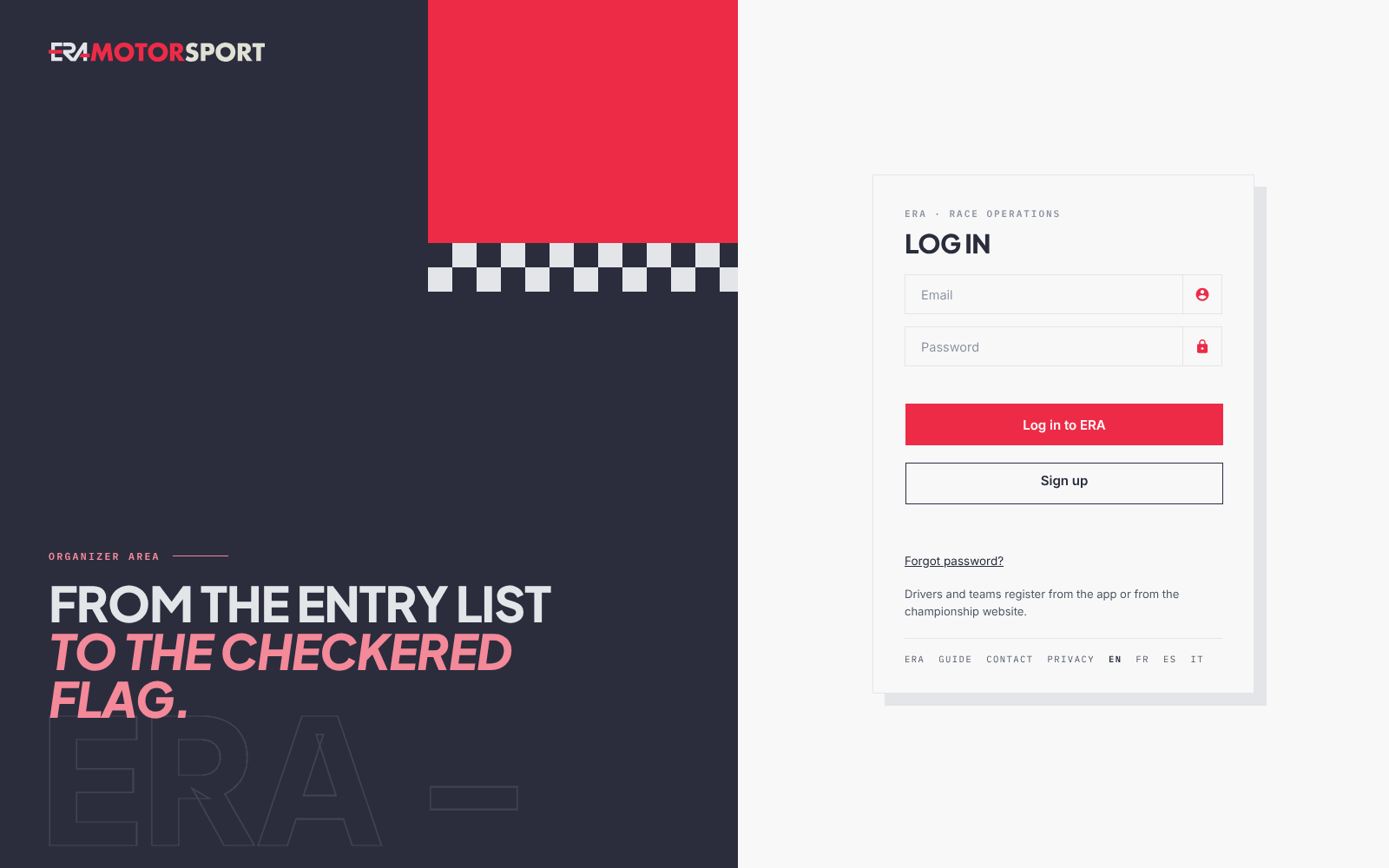
- Open the sign-in page. Write your Email and your Password.
- Sign in. Press Log in to ERA. A superadmin opens on the Dashboard. The other users open on Drivers › Entries. An account that only handles media reservations opens on Orders › Media reservations.
- Choose the language if you need to. The links EN, FR, ES and IT at the bottom of the card change the language of the sign-in pages. After you sign in, you change it from the menu. See Profile.
- Forgot the password. Press Forgot password?, write the email of your account and press SEND THE LINK. ERA sends an email with a personal link. The link is valid for one hour.
- Choose the new password. Open the link in the email. Write the new password in New password and again in Repeat the password. Then press UPDATE PASSWORD and sign in with the new password.
- Ask for a new organizer account. On the sign-in page press Sign up. Write First name, Last name, Email and Password, tick the terms of use and press Create the account.
- Wait for the activation. A new account is created switched off, with no championship. A superadmin turns it on in System › Administrators and chooses its level and its championships. Until then the sign-in says User not enabled.
What ERA checks
- The email and the password must match an account. Otherwise you see Wrong user credentials.
- The account must be enabled by a superadmin. Otherwise you see User not enabled.
- After SEND THE LINK ERA always shows the same message, whether the email has an account or not. Only enabled accounts receive the email.
- The reset link is valid for one hour. After that you see This link is not valid or has expired. and you ask for a new one. The link works once: after the new password is saved it is no longer valid. It works only for an enabled account.
- A new password must have 8 to 72 characters. In the reset form the two passwords must match.
- To sign up, the email must be a valid address and not already used by another account. The password must have 8 to 72 characters.
Common problems
| What happens | What to do |
|---|---|
| User not enabled. after a sign-up | The account waits for a superadmin. Ask them to enable it in System › Administrators. |
| After Create the account ERA says you can log in, but the sign-in refuses you | Same as above: a new account works only after a superadmin enables it. |
| After Create the account the sign-in page opens with no message | The account was not created: the email is not valid or already has an account, or the password is not 8 to 72 characters. Press Sign up and try again. |
| No reset email | Check the spam folder. Check that you wrote the email of your ERA account and that the account is enabled. Ask again after a few minutes. |
| This link is not valid or has expired. | The hour has passed. Press Forgot password? again. |
| You sign in but see few menu entries | Your level and your championships decide what you see. See The menu and what you can see. |
See also
Something does not match what you see in ERA? Write to us from the contact page.