
06 · Orders
Tyre reservations Tyres booked before the event.
In ERAOrders › Tyre reservations
Who uses itOrganizer · Track staff
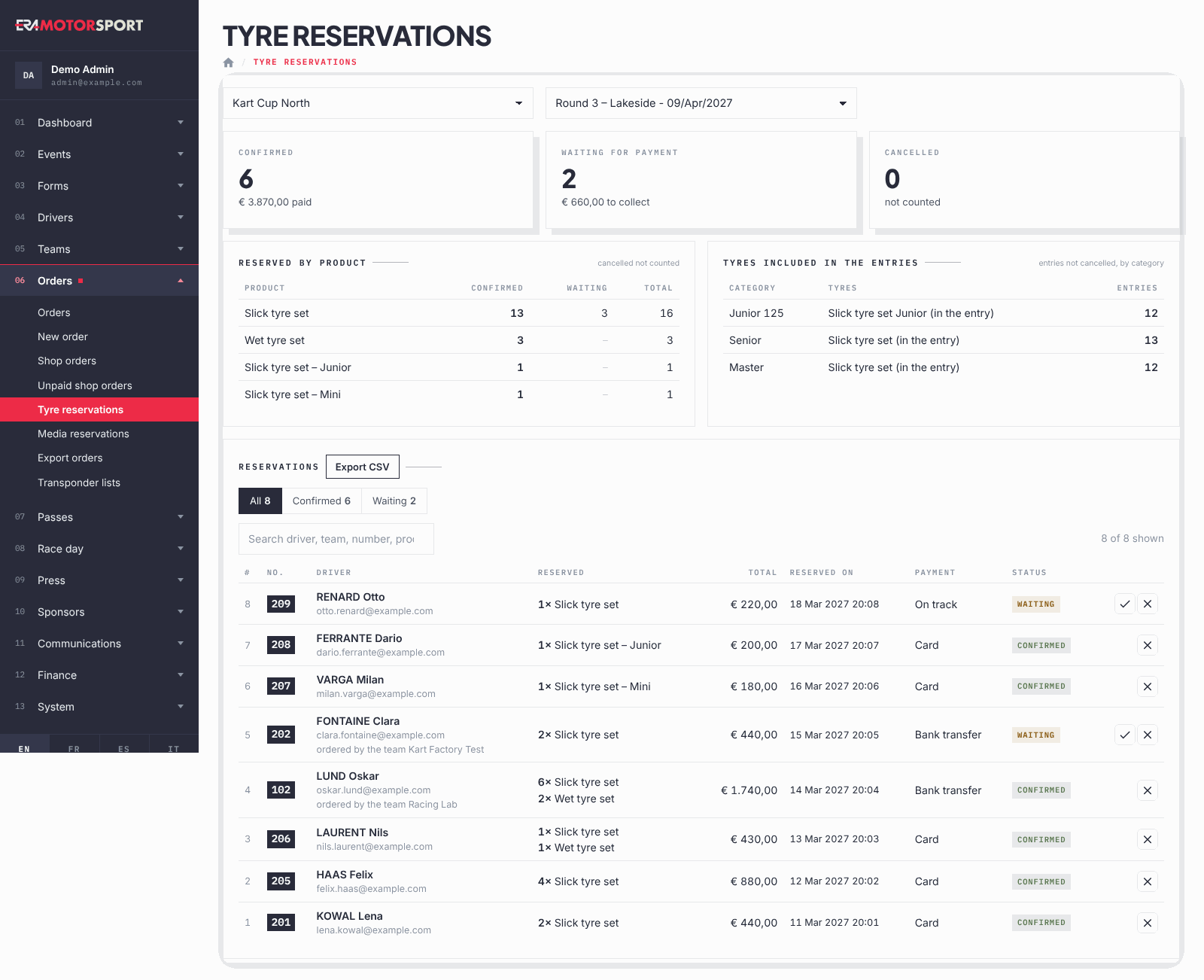
This page lists the tyres and products reserved on the website for one event, with the totals by product and the tyres already included in the entry fee.
What it is for
Use it before the event to tell the tyre supplier how many sets to bring, and to confirm the reservations paid by bank transfer or to be paid at the track. Card payments are confirmed by the website on their own.
Step by step
- Open the page. Go to Orders › Tyre reservations and choose the championship and the event.
- Read the counts. The three boxes show Confirmed (paid), Waiting for payment (to collect) and Cancelled (not counted).
- Read the totals by product. Reserved by product shows, for each product, how many are confirmed and waiting. Tyres included in the entries shows, by category, the tyres included in the entry fee and the number of entries not cancelled.
- Find a reservation. In Reservations use All, Confirmed, Waiting, Cancelled or search by driver, team, number or product. A reservation made by a team says "ordered by the team" with the order number.
- Confirm a payment. On a waiting reservation by bank transfer or on track, press the tick icon (Payment received) and confirm.
- Cancel a reservation. Press the cross icon (Cancel the reservation) and confirm. The row stays in the list as cancelled.
- Export. Export CSV downloads the reservations of the event, one line per product, ready for a spreadsheet.
What ERA checks
- Payment received appears only for reservations still waiting with the method bank transfer or on track.
- A team reservation is part of one team order: confirming one confirms all the reservations of that order, and ERA says so in the confirmation.
- Confirming marks the linked payment and the website order as paid.
- Cancelling a reservation also cancels the website order still to pay. For a team order this happens only when all its reservations are cancelled.
- Who pays collects: tyres reserved by a team are delivered to the team, with the team QR code, at the tyre desk.
Common problems
| What happens | What to do |
|---|---|
| There is no tick icon on a waiting reservation. | It was made by card: the payment is not finished. See Unpaid shop orders. |
| No tyres included in the entry fee for this event. | The categories of the event have no tyres included, or no entry is active. |
| A driver of a team asks for the team's tyres with his own QR code. | The team paid: the team collects them with its QR code. |
See also
Something does not match what you see in ERA? Write to us from the contact page.