
06 · Orders
New order Sell at the counter.
In ERAOrders › New order
Who uses itTrack staff · Organizer
An order of the shop on track is made on the driver's counter page. This page finds the driver and opens that page directly on the shop.
What it is for
Use it when a driver comes to the race office to buy something (tyres, fuel, products) and you do not want to scan his QR code. The order is recorded as paid at the moment of the sale.
Before you start
The products on sale are the active products of the championship, by category. Set them in Products and Product categories.
Step by step
- Open the page. Go to Orders › New order and choose the championship and the event.
- Find the driver. In Race number, last name or email of the driver write the number, part of the name or the email and press Find.
- Open his shop. Press Add order on the right row. The counter page opens on Shop on track.
- Choose the products. Write the quantity next to each product. Add a note in Note on the order (optional) if needed. The bar at the bottom shows To collect now: with the total.
- Choose how it is paid. In the bottom bar choose the method in Shop paid with….
- Save. Press Save. The order appears in Orders at this event on the same page and in Orders.
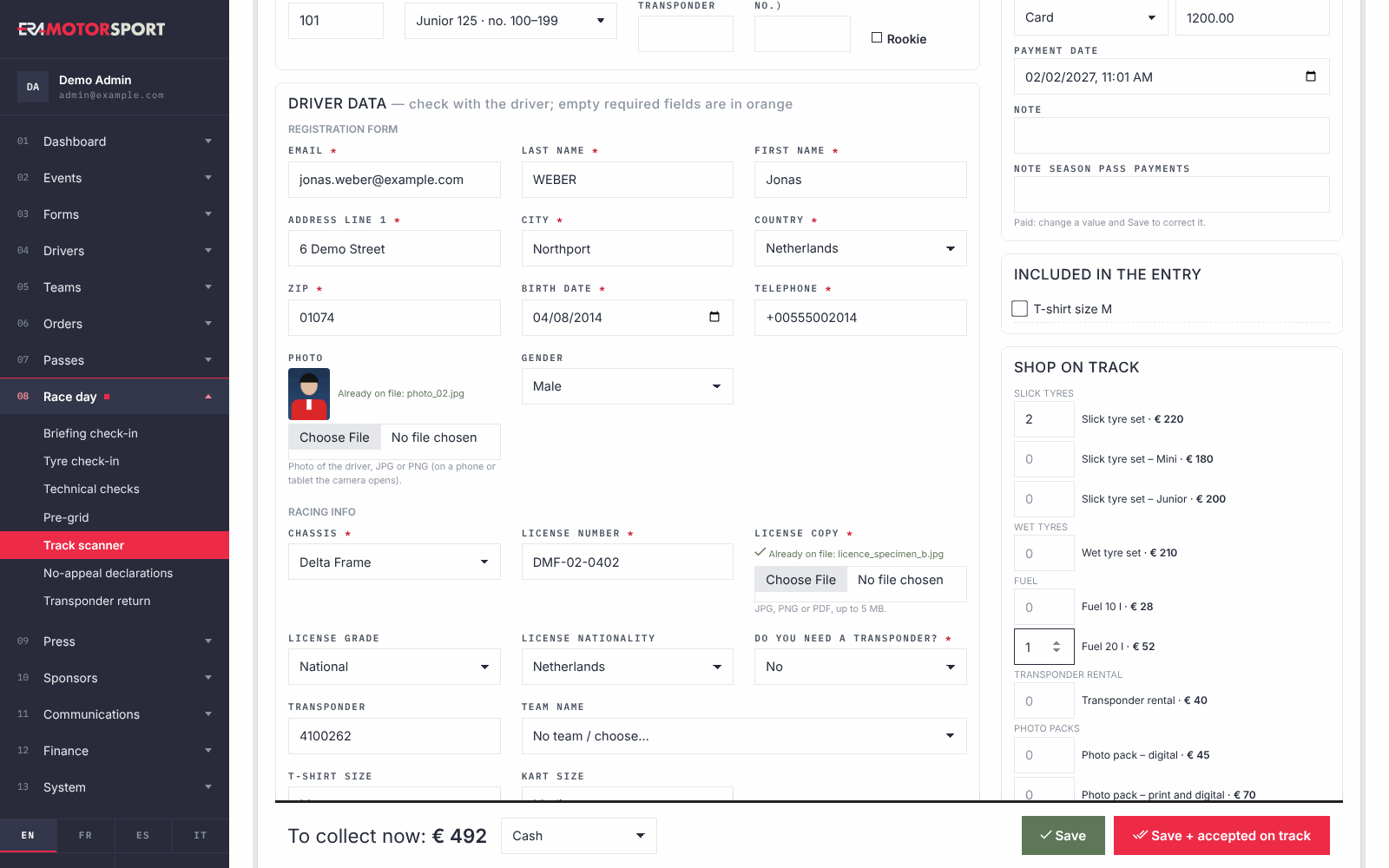
The counter page does more than the shop: entry data, entry payment, what the entry includes, on-track acceptance. See Driver desk.
What ERA checks
- Only drivers entered in this event appear, from the event forms and from season passes that cover it. Cancelled entries are left out.
- Quantities must be whole numbers up to 999.
- With at least one product, the payment method is required.
- If something is wrong, ERA saves nothing and shows the fields in red.
- In Orders at this event an order can be deleted only if it is not paid. A shop order made at the counter is paid as soon as it is saved: to cancel it, refund the driver and delete it in Orders.
Common problems
| What happens | What to do |
|---|---|
| The driver is not found. | He is not entered in this event, or his entry is cancelled. Register him first with New driver. |
| No products on sale for this championship. | Add or activate the products and their category in the System section. |
| Choose how the shop order is paid. | Choose the method in Shop paid with… and press Save again. |
| A team wants to buy for its drivers. | An order made here is always the driver's, and the driver collects it. Orders paid by a team come from the team's purchases on the website. |
See also
Something does not match what you see in ERA? Write to us from the contact page.