
04 · Drivers
Send QR codes For the driver who lost it.
In ERADrivers › Send QR codes
Who uses itOrganizer · Track staff
Send QR codes sends one driver the personal QR code again, the one the staff scan at the track.
What it is for
A driver at the gate has lost the email or the pass. You find the driver and send the QR code again, without sending anything to the other drivers. To send the passes to every driver of the race, use Send to drivers.
Before you start
The QR code email needs a text, written in Email settings under the QR code to one driver. Without it ERA shows a warning and the button is disabled.
Step by step
- Choose the race. Go to Drivers › Send QR codes and choose the championship and the event.
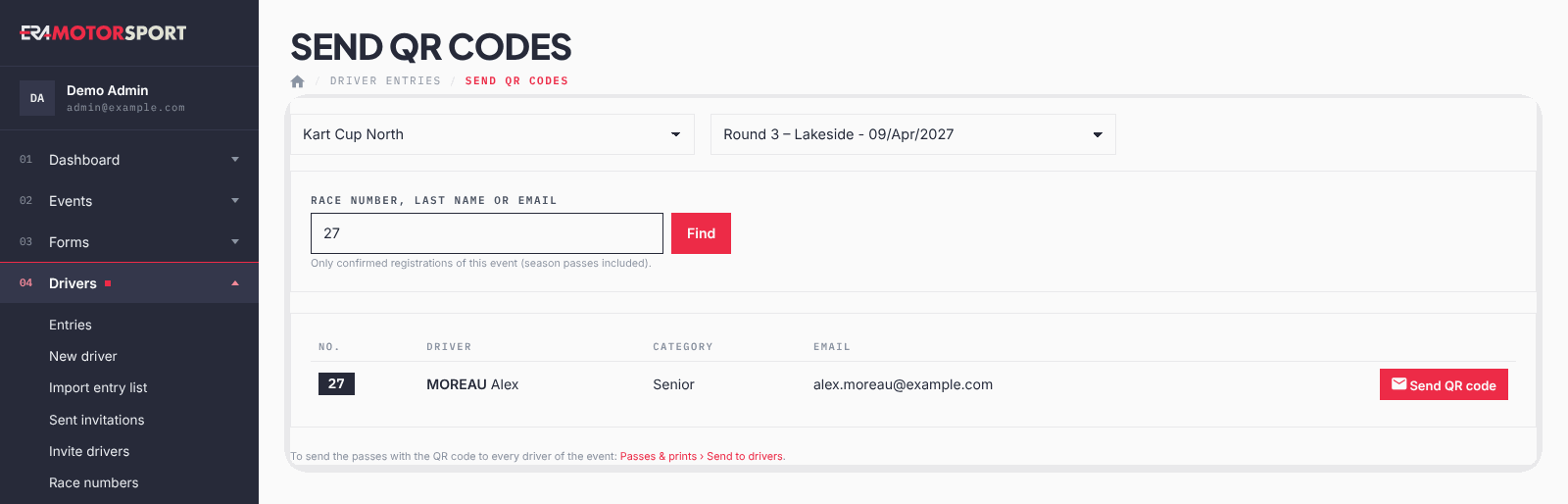
- Find the driver. Write the race number, last name or email in Race number, last name or email and press Find.
- Check the row. Make sure number, name, category and email are the right ones.
- Send. Press Send QR code on that row. ERA confirms the email address it was sent to.
What ERA checks
- Only confirmed entries of the race are searched, season passes included.
- A number finds the driver with exactly that race number; letters search name and email.
- The QR code contains the driver's email, like the pass on the website and the wallet pass.
Common problems
| What happens | What to do |
|---|---|
| No confirmed registration found. | The entry may still be to pay: confirm the payment in the entry card. |
| The page expired or the registration is not confirmed: reload and try again. | Search again and press the button. |
| The driver does not receive the email. | Check the email address in the entry, and the spam folder. |
See also
Something does not match what you see in ERA? Write to us from the contact page.