
04 · Drivers
Import entry list For races entered elsewhere.
In ERADrivers › Import entry list
Who uses itOrganizer
Import entry list loads the entry list of a race whose entries are handled outside ERA, so the website can show it.
What it is for
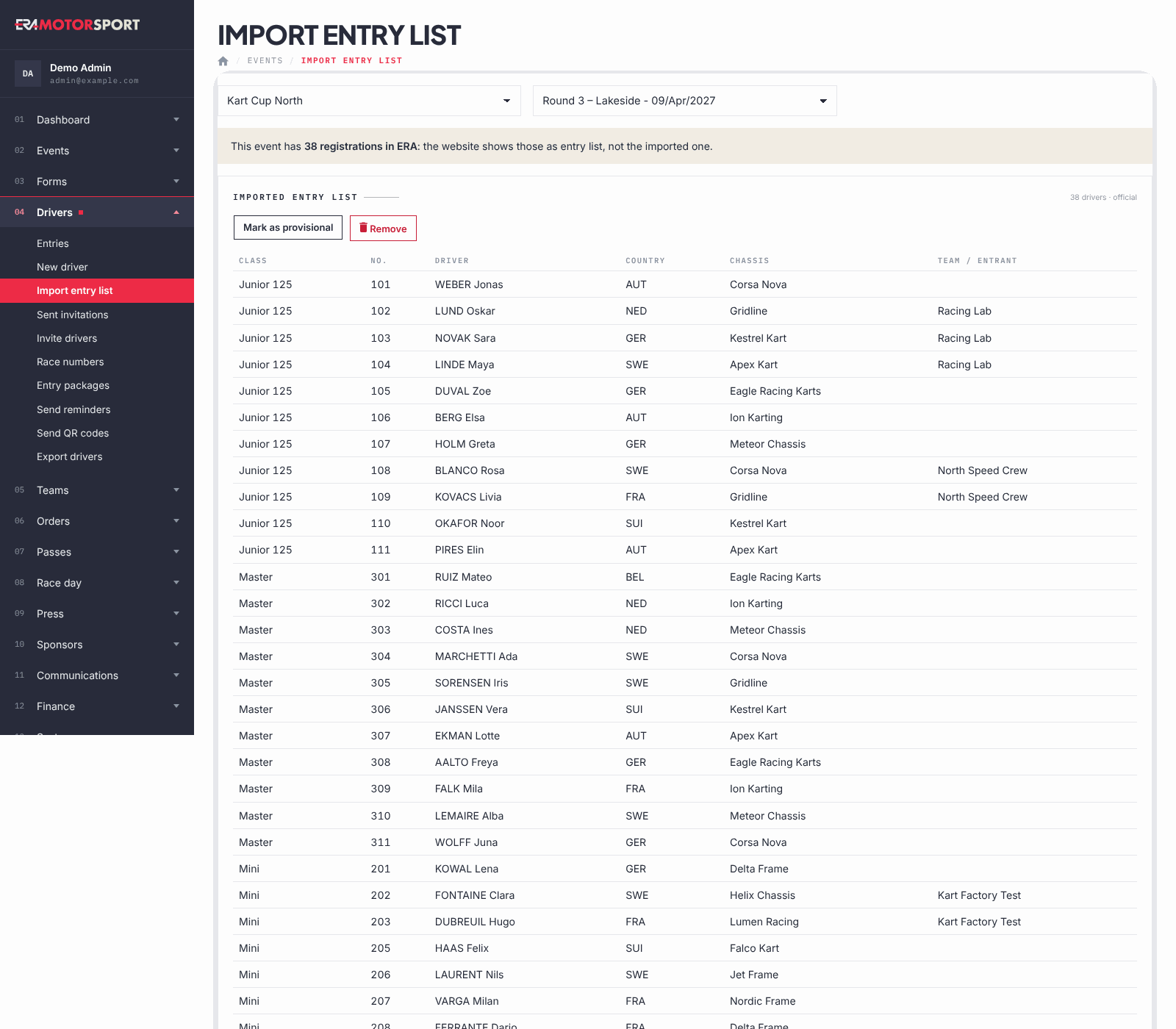
Some races take their entries in another system or in a spreadsheet. Import the list here and the website shows it as the entry list of the race, official or provisional. As long as the race has entries in ERA, the website shows those instead, and ERA tells you so at the top of the page.
Step by step
- Choose the race. Go to Drivers › Import entry list and choose the championship and the event. If a list was already imported, you see it by class, with the number of drivers and its status.
- Give the source. In Address paste the address of the competitors page of MOM-System, or the participant list address of RaceKernel ending with
&output=json. Or choose or an Excel file (.xlsx). - Choose the status. In Status choose Official or Provisional.
- Import. Press Import. ERA reads the list and, only if the reading works, replaces the previous one. It tells you how many drivers were imported.
- Change the status later. Press Mark as official or Mark as provisional.
- Remove the list. Remove deletes the imported list after a confirmation; the website shows the ERA entries again, if there are any.
The Excel file needs these column titles in the first row: CATEGORIA, NR, CONCORRENTE/COMPETITOR, NAZ, TELAIO, CONDUTTORE/DRIVER (class, number, entrant or team, country code, chassis, driver). Rows with neither driver nor number are skipped. Country codes used by the timekeepers (GER, NED, SUI…) are turned into country names.
What ERA checks
- Only addresses of www.mom-system.com or racekernel.com are accepted; a RaceKernel address must end with
&output=json. - An Excel file must have all six columns: ERA names the missing one.
- If anything cannot be read, the list already imported is not touched: The entry list was not changed.
Common problems
| What happens | What to do |
|---|---|
| No competitors found in the MOM-System page (use the "competitors" page). | Copy the address of the competitors page, not the race page. |
| The RaceKernel address must end with &output=json. | Add &output=json at the end of the address. |
| A column is missing in the first row. | Rename the column titles of the Excel file exactly as listed. |
| The website still shows the ERA entries. | The race has entries in ERA: they come first. |
See also
Something does not match what you see in ERA? Write to us from the contact page.