
04 · Drivers
Sent invitations Who was invited, who came.
In ERADrivers › Sent invitations
Who uses itOrganizer
Sent invitations lists every invitation sent for a race and tells you who has used it.
What it is for
An invitation is a personal link that lets one driver enter a form of the race in one category, at the normal price, free, at a fixed price or with a discount, until an expiry date. This page shows them all, so you can chase who has not entered yet, change a category, send the email again or remove an invitation sent by mistake.
Step by step
- Choose the race. Go to Drivers › Sent invitations and choose the championship and the event.
- Filter. Click All, Not registered yet, Registered or Expired, or search by driver, email, category, form or sponsor.
- Read the row. Driver (with the sponsor, if any), Category, Form, Price ("full price", "free", a fixed amount or a discount), Invited, Expires and Status: "not registered", "registered", "registered · to pay" or "expired".
- Open an invitation. Click the pencil. The invitation page shows driver, race, form, sending date and until when the link is valid.
- Change the category or resend. Choose another Category of the form, then press Save the category, or Save and send the invitation again to email the same link again.
- Delete an invitation. The bin deletes an invitation not used yet, after a confirmation.
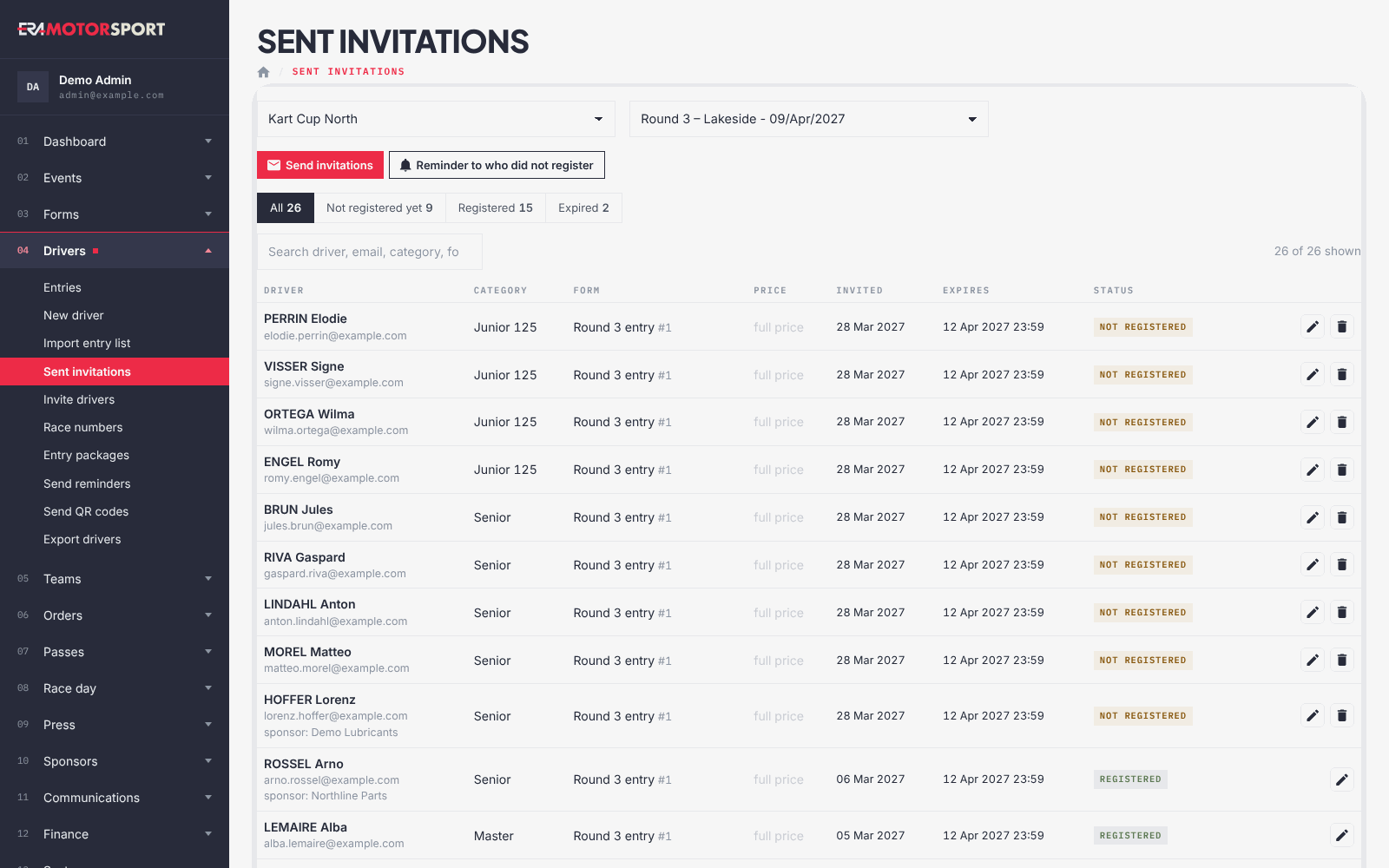
From the top of the list, Send invitations opens Invite drivers and Reminder to who did not register opens Send reminders.
What ERA checks
- An invitation counts as registered when the driver used the link or has an entry in that form that is not cancelled.
- An invitation already used to register cannot be deleted: This invitation was already used to register: it stays.
- The category of an invitation must be one of the form (or the one it already has).
- Sending again uses the same link, so an expired link stays expired: send a new invitation instead.
- The email text is the one written in the form (form editor, Messages) or, if empty, the driver invitation text in Email settings.
Common problems
| What happens | What to do |
|---|---|
| Category saved, but the email was not sent: check the "Driver invitation" text in Email config or in the form. | Write the invitation text, then send again. |
| The driver says the link does not work. | Check Expires: if it has passed, send a new invitation from Invite drivers. |
| The bin is missing on a row. | The invitation has been used: it stays. |
See also
Something does not match what you see in ERA? Write to us from the contact page.