
04 · Drivers
Export drivers Files for the timekeepers.
In ERADrivers › Export drivers
Who uses itOrganizer
Export drivers gives the CSV files of a race: one in the format of the timekeeping, one with all the data of the form.
What it is for
Before practice the timekeepers need the list of drivers with numbers, transponders and classes. After the checks you send them the drivers accepted on track, class by class. The second file has every field of the form, for the race office, the stewards or a spreadsheet.
Before you start
The columns of the timekeeping file depend on the timing system set for the championship. Accept the drivers on track first, in Entries: the timekeeping file of a category contains only accepted drivers.
Step by step
- Choose the race. Go to Drivers › Export drivers and choose the championship and the event.
- Pick the row. All categories covers everyone; each category of the race has its own row.
- Download the timekeeping file. Press Timekeeping on the row. ERA shows Preparing the file… and then File downloaded.
- Download all the data. Press All driver data on the row.
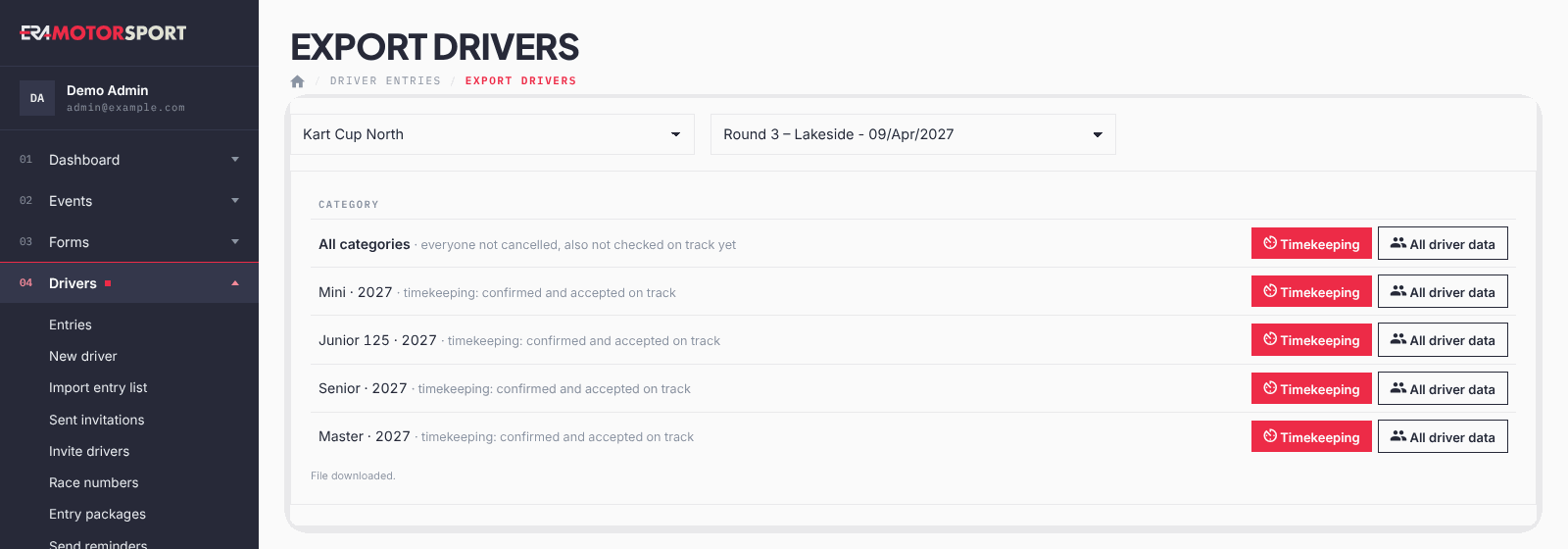
What each file contains:
- Timekeeping for one category: entries confirmed and accepted on track, sorted by race number, with number, names, category, chassis, gender, country, transponder, team, entrant and licences.
- Timekeeping for All categories: every entry not cancelled, also the drivers not checked on track yet.
- All driver data: every field of the form for the entries not cancelled. Entries of website orders still waiting for a card payment are left out; entries to pay by bank transfer or at the track are kept.
Both files include the season passes that cover the race, and only forms that are public.
What ERA checks
- You can export only races of championships you have access to.
- Each export is written in the Action log.
Common problems
| What happens | What to do |
|---|---|
| The timekeeping file of a category is empty or short. | The drivers are not accepted on track yet, or not confirmed: check Entries. |
| A category is missing from the list. | It is not in the forms of the race and nobody entered it. |
| ERA says the file could not be prepared | Press the button again; if it persists, reload the page. |
See also
Something does not match what you see in ERA? Write to us from the contact page.