
04 · Drivers
Entry packages What to prepare for the confirmed.
In ERADrivers › Entry packages
Who uses itOrganizer
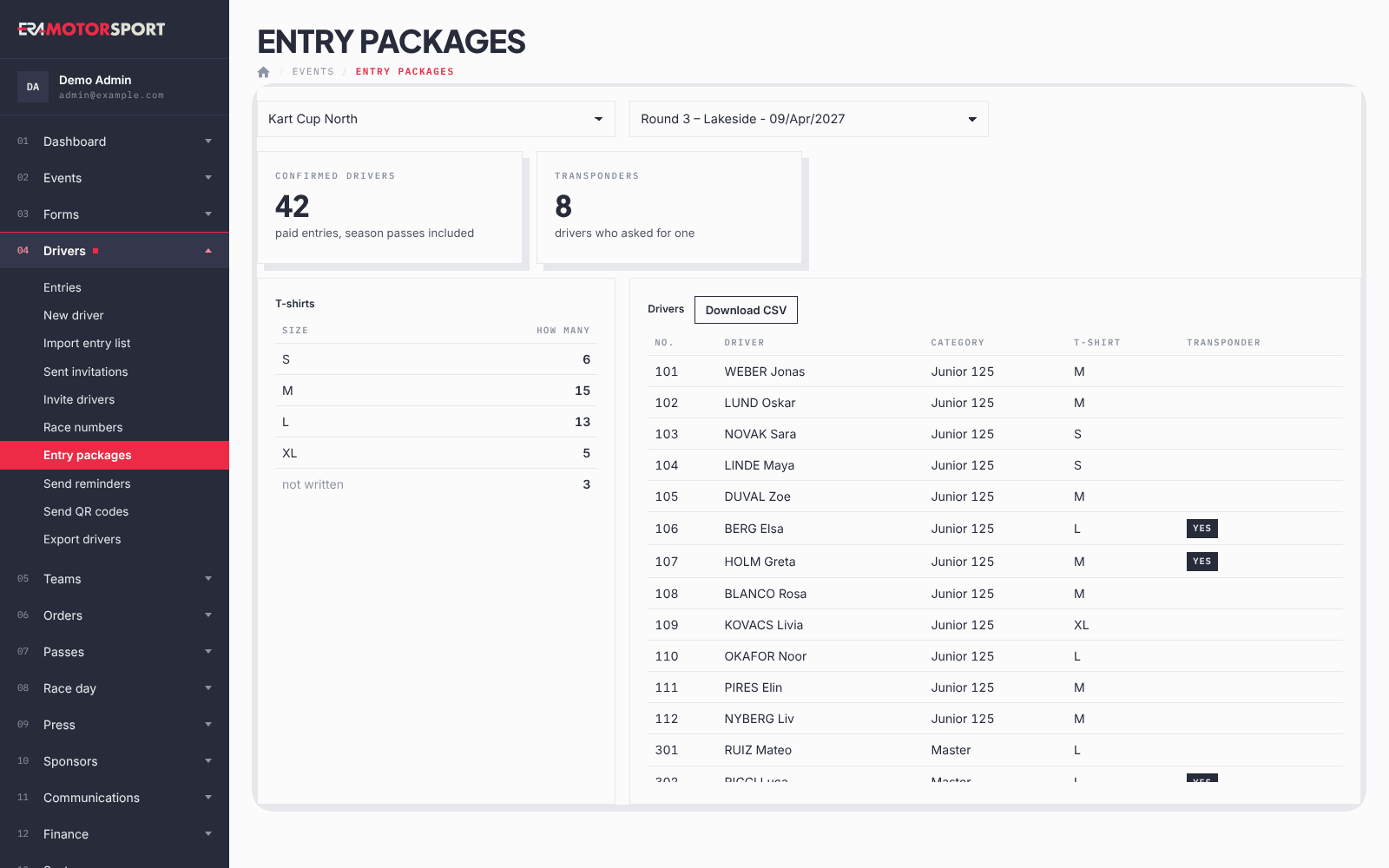
Entry packages counts what to prepare for the confirmed drivers of a race: T-shirts by size and transponders to hand out.
What it is for
Whoever prepares the driver packages needs numbers, not the full entry list. This page counts only the confirmed (paid) entries of the race, season passes that cover it included, and gives the list to download. For a count of all entries not cancelled, including those still to pay, use Welcome bags in Entries.
Step by step
- Choose the race. Go to Drivers › Entry packages and choose the championship and the event.
- Read the totals. Confirmed drivers is the number of paid entries; Transponders the number of drivers who asked for one in the form.
- Read the T-shirts. The T-shirts table gives how many per size; "not written" counts the drivers without a size.
- Download the list. Download CSV gives the Drivers list with number, last name, first name, category, T-shirt and transponder, ready for a spreadsheet.
What ERA checks
- Only confirmed entries count; entries to pay and cancelled entries are left out.
- The size comes from the T-shirt size field of the form, the transponder from the field that asks whether the driver needs one.
Common problems
| What happens | What to do |
|---|---|
| No confirmed entry for this event yet. | Confirm the payments first, or check the race selected. |
| All sizes are "not written". | The form has no T-shirt size field: add it in the form editor. |
| A driver who paid at the track is missing. | Open the entry: if it is still "to pay", confirm the payment in the entry card. |
See also
Something does not match what you see in ERA? Write to us from the contact page.