
The ERA Race day app The handheld at the desk.
The ERA Race day app runs on Android handhelds with a built-in barcode reader. The handhelds are set in Race day › Devices (see Devices); here is what the staff does with them at the desk.
What it is for
The app does the work of the Tyre check-in, Briefing check-in and Track scanner pages, with the same rules, also when the network at the track drops. It downloads the event data, checks every scan by itself, keeps a queue of what it did and sends it to ERA when the network is back.
The app speaks English, French, Spanish and Italian. It starts in the language chosen in ERA for the handheld; the staff can change it in the settings.
Pairing
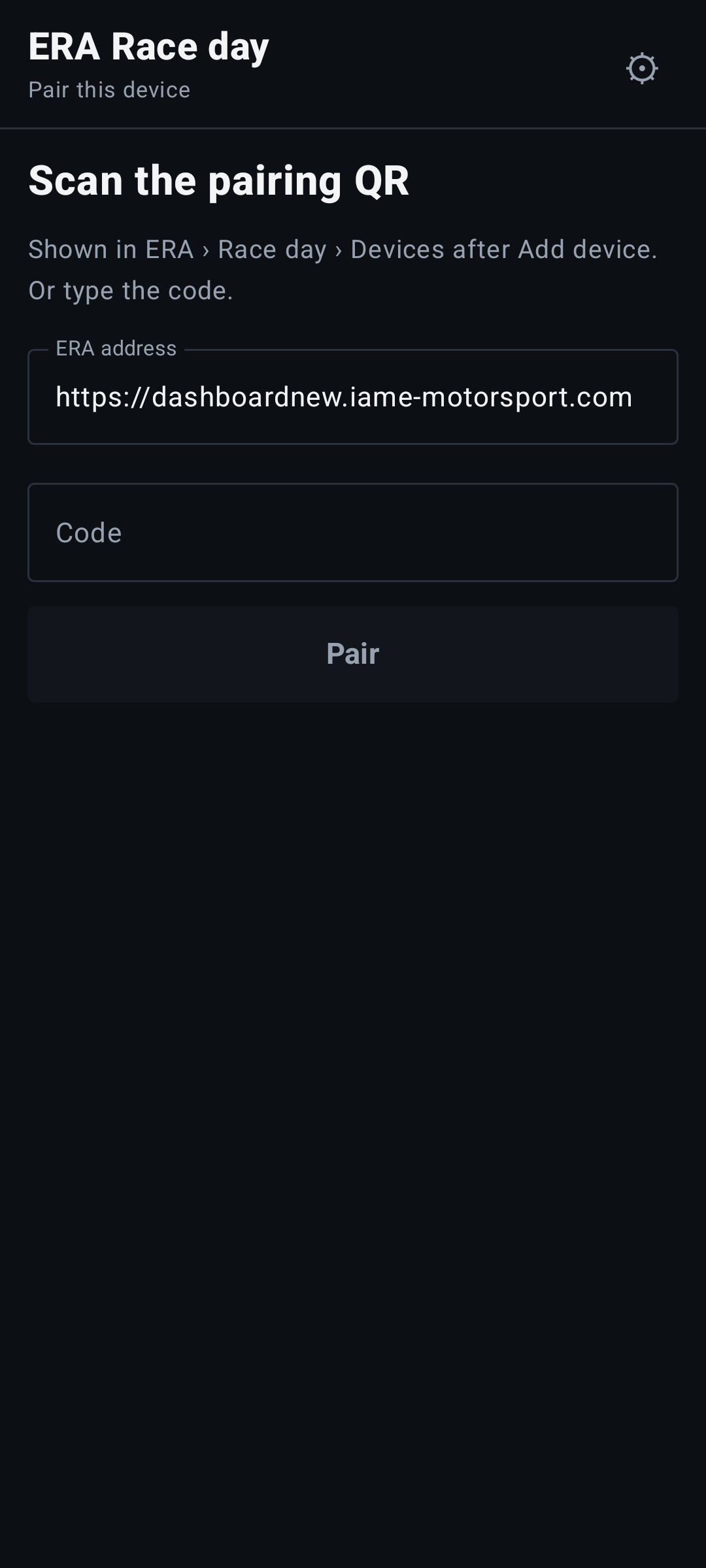
A new handheld opens on Pair this device.
- In ERA, in Race day › Devices, press Add device (or Pair again on the line of the handheld).
- On the handheld, scan the QR code shown in ERA, or type the code and press Pair.
- The handheld downloads the event data and opens on its function. With more functions, choose one from the menu.
Pairing needs the network. The code is valid for 10 minutes and one time only.
Tyre check-in
- Scan the QR. The pass of the driver or of the team collecting the tyres. The banner says at once where he stands:
- green "…: scan the box": there are sets to deliver;
- yellow "…: all sets already collected": he has nothing more to collect;
- yellow "…: no tyres paid": nothing paid for this event;
- red "Not registered at this event": the pass is not entered at this event.
- Scan the box. One box is one set, delivered at once. Without a code to scan, tap +1 on the tyre. For each tyre the screen shows "2 of 4 sets delivered".
- With Tyre tracking, after the box scan the serial of each tyre of the set ("…: scan the 4 serials"). The set is delivered after the last serial. A serial is never delivered twice, also without network: the handheld shows "Serial … already delivered to #…".
- Next one. Tap Next driver, or simply scan the next pass.
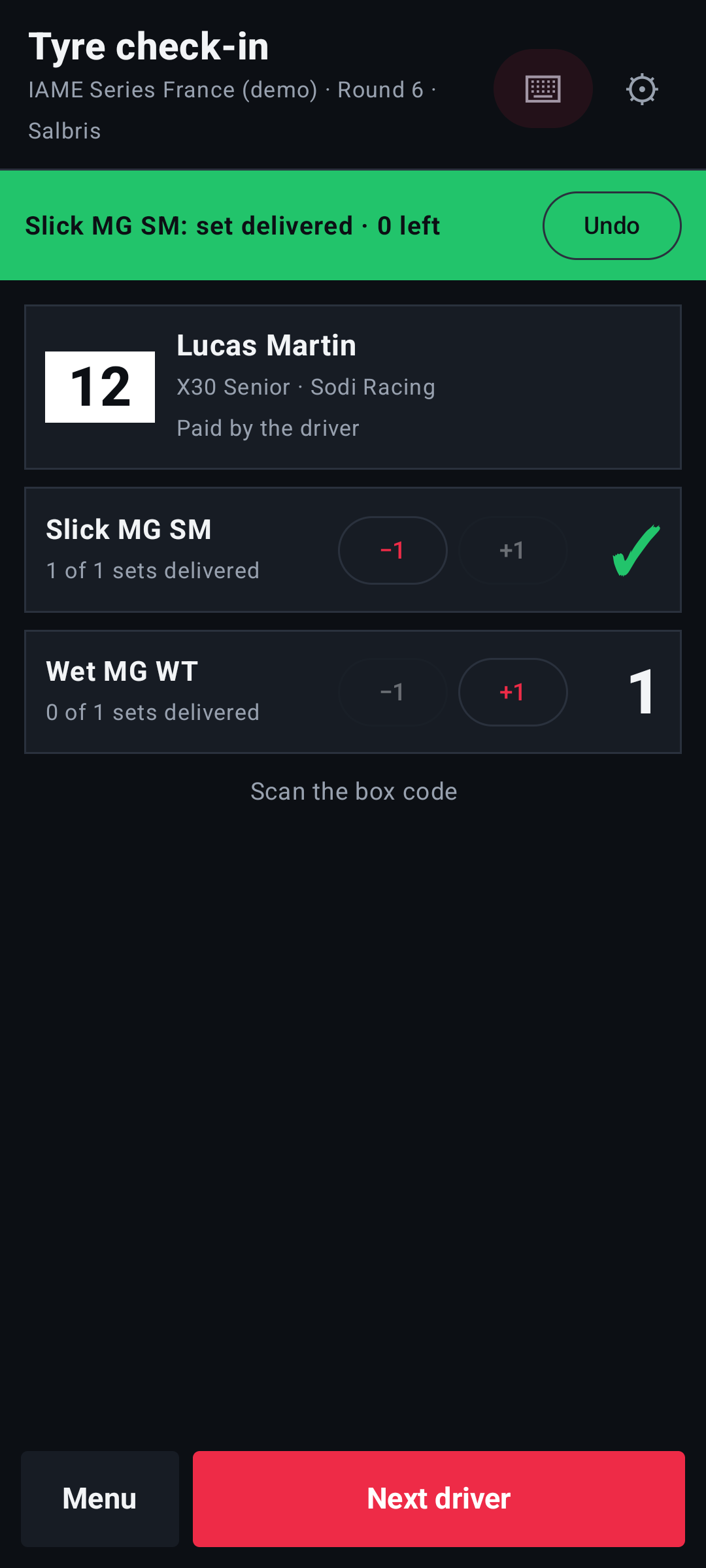
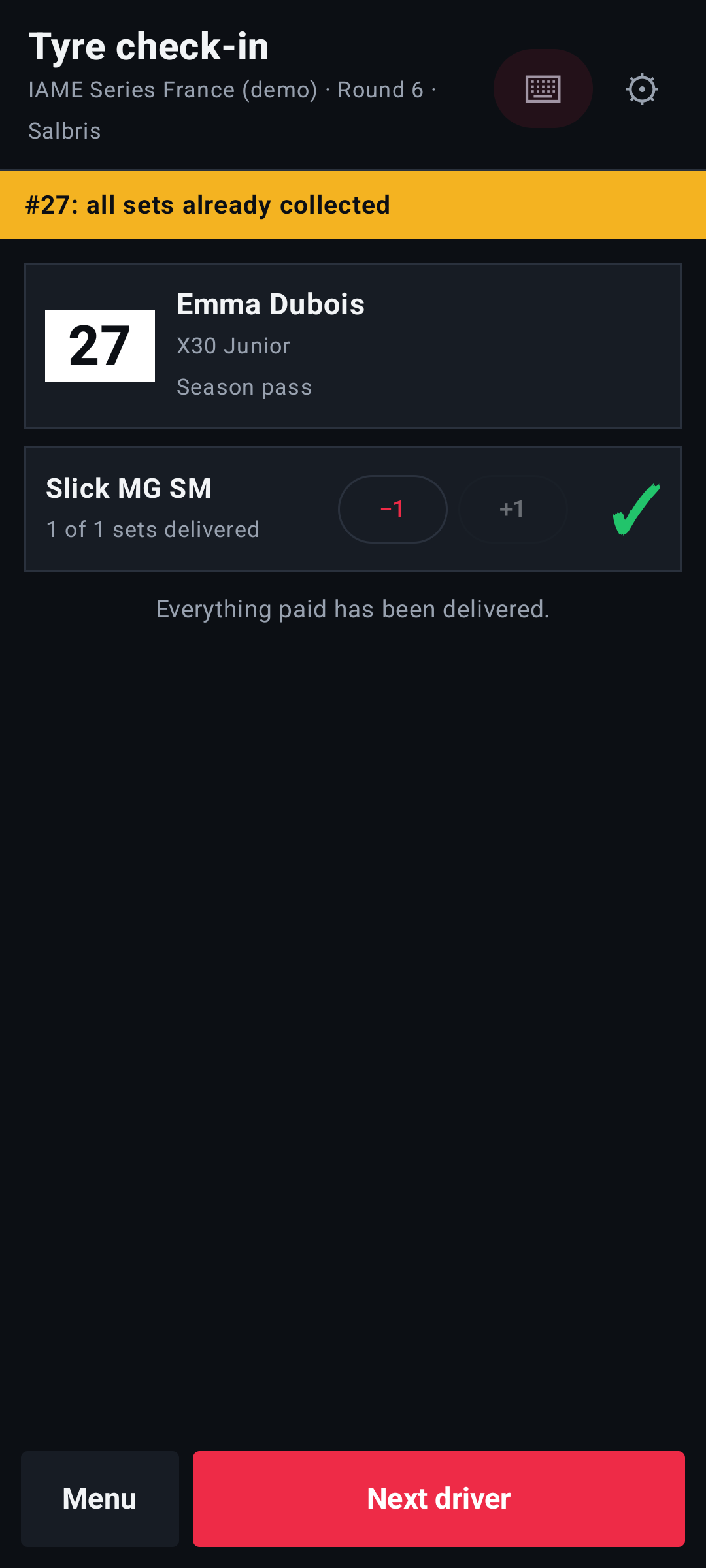
Who collects. The driver collects what he paid himself; the team collects what the team paid, with the team QR.
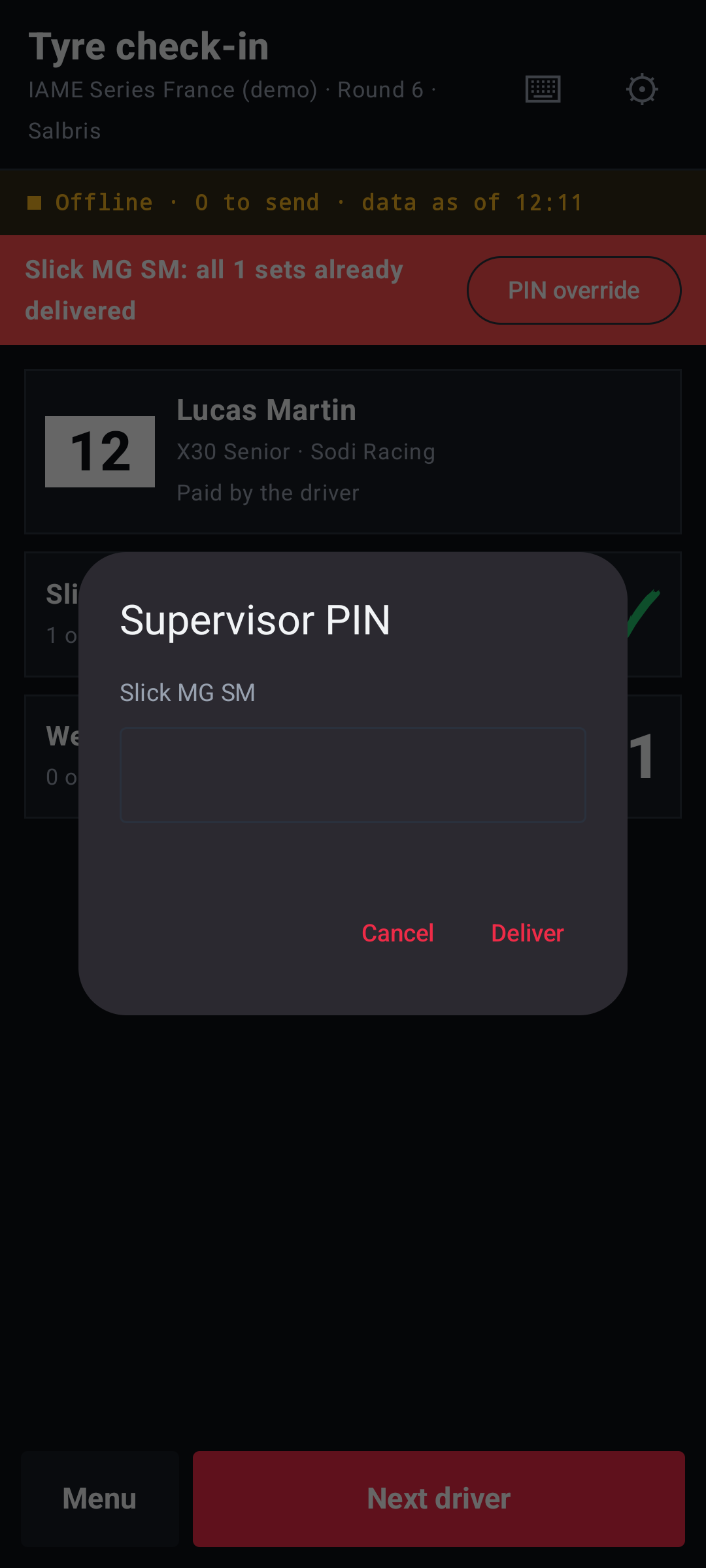
Never beyond what was paid. When everything paid is delivered, the handheld refuses another set. If the driver paid during a network outage and the payment is not yet on the handheld, the supervisor taps PIN override and types the Supervisor PIN: the set is delivered, the message says "set delivered with PIN · ERA will check it", and in ERA the delivery appears in To check at the desk.
Correct a mistake.
- Undo: with a set still open (serials being read), it closes the set without delivering and discards the serials; otherwise it cancels the last set delivered.
- −1 on a tyre takes back one set, after the question "Remove one … set?".
Briefing check-in
Scan the pass at the briefing door. Each driver checks in once: "#27 checked in", or "#27 already in" if he came before. A driver not yet accepted at the technical checks checks in all the same, in yellow: "#27 checked in · not yet accepted". The screen counts the drivers in the briefing.
Track scanner
Scan the pass at the technical checks:
- green "#27 accepted on track";
- yellow "#27 to the counter": the entry is not yet checked for this race;
- red "#27 not allowed on track": refused at the checks. Send the driver to the race office.
Without network
The handheld works the same without network. A band at the top says "Offline · 3 to send · data as of 10:42": three operations wait in the queue and the data was updated at 10:42. When the network is back the handheld sends the queue and downloads fresh data by itself; with the network it says "Online · data as of …".
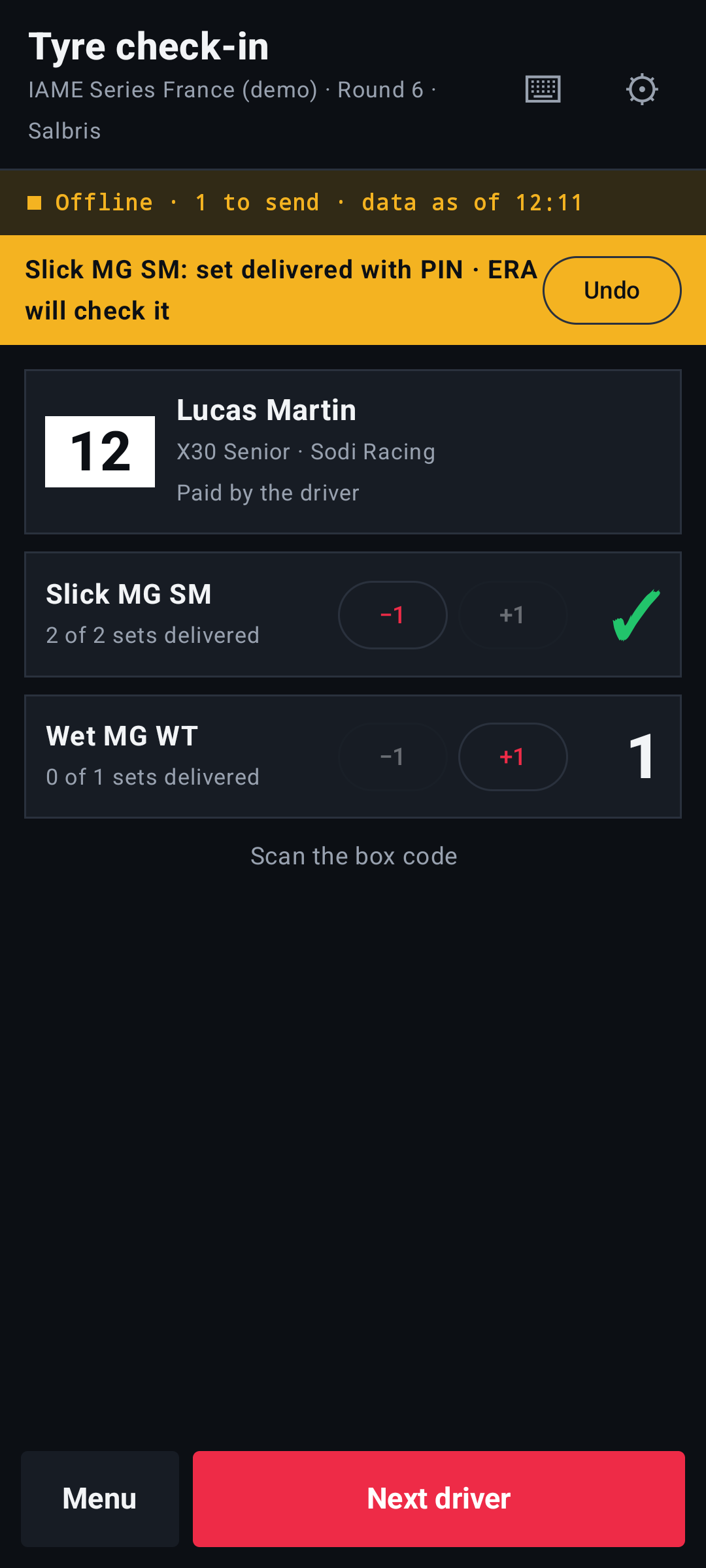
The data of the event stays valid for 36 hours without an update. After that the handheld asks to connect to the network.
If the band says "… operations refused by ERA: check them in ERA", ERA did not accept some operations, for example an undo of a set already taken back at the web desk. Check the deliveries of those drivers at Race day › Tyre check-in.
Settings
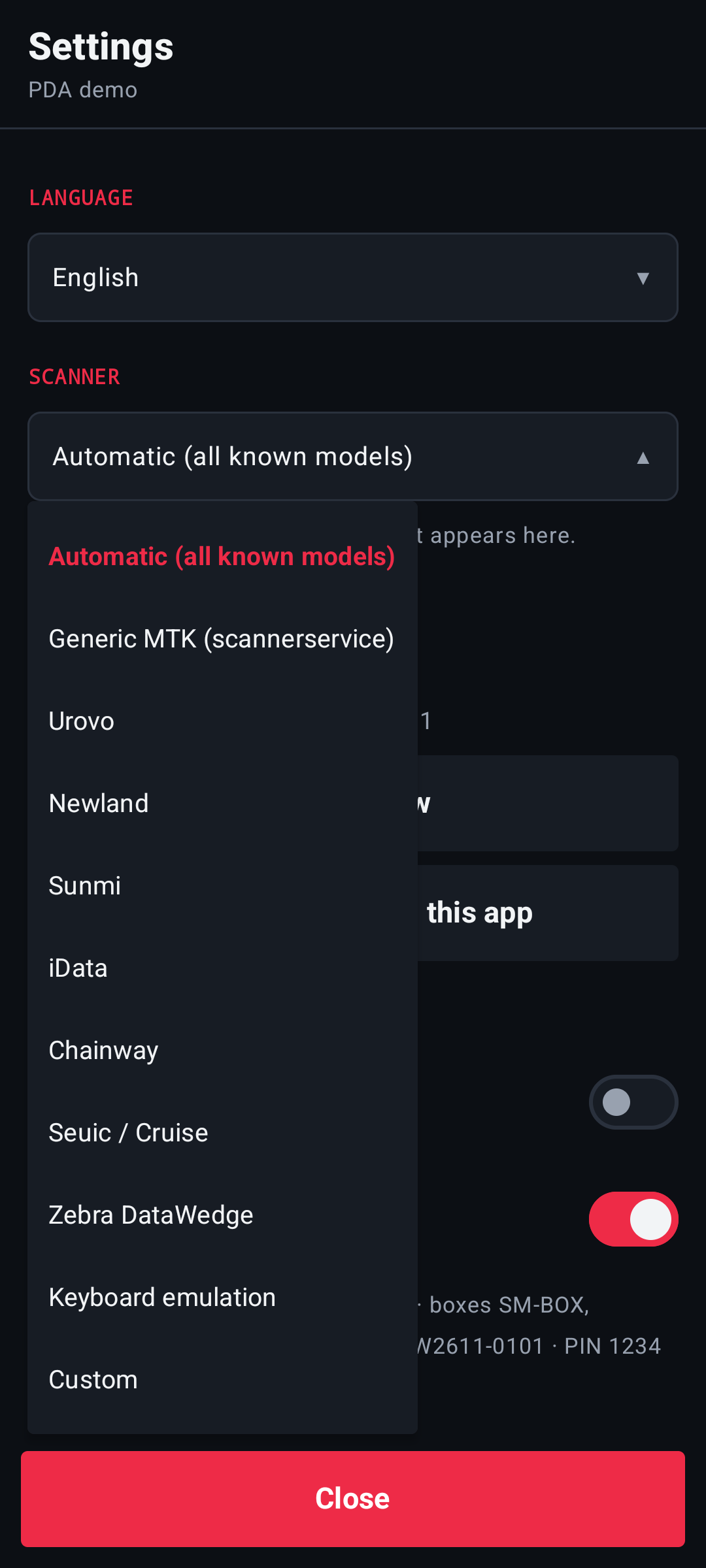
Open Settings from the menu:
- Language: "As set in ERA", or one of the four languages;
- Scanner: "Automatic (all known models)" works on most handhelds. If the reader does nothing, choose "Keyboard emulation" (and set the same on the handheld) or "Custom", with the values of the handheld's own scanner settings. "Last code read" shows at once whether a scan arrives;
- Update now: sends the queue and downloads fresh data;
- Lock the device on this app and Exit kiosk mode: see Kiosk mode;
- Disconnect device: with the supervisor PIN. The handheld goes back to Pair this device.
The ⌨ key at the top opens Type a code: for damaged labels, type the code as printed.
Kiosk mode
Lock the device on this app keeps the staff inside the app.
- On a normal handheld it uses Android's screen pinning (switch it on once in the handheld's security settings). An expert user can remove it.
- On the kits prepared by ERA the app is locked for good: no bar, no Home key, and after a restart it opens by itself.
You leave kiosk mode only with Exit kiosk mode and the supervisor PIN.
App updates
The app is updated from ERA, not from the Play Store. The superadmin uploads the new version in Race day › Devices (see App updates); the handheld finds it at its next connection.
- Normal handhelds. A band says "New version X ready · Update". The operator confirms and the app installs. The first time, Android asks to allow installs from this app.
- Kiosk kits. They update by themselves after 2 minutes without scans and with no set open, and reopen locked.
- Required version. A full-screen message says the update is required and the handheld does not work until it is installed. The queue stays on the handheld and is sent as usual.
A handheld updates only with versions signed with the same key as the app it has. If the key is different, Android refuses the update: the superadmin sees it in ERA (see App updates).
Messages on the handheld
| What the handheld shows | What to do |
|---|---|
| Device disconnected | The handheld was revoked in ERA. Pair it again with a new code. |
| Not active | The Race day devices add-on is off for this championship. Ask the organizer. |
| No function assigned | In ERA, tick at least one function for this handheld. |
| Waiting for event data | Connect to the network once to download the event data. |
| "The event data has expired." | Connect to the network to update it. |
| "Team QR" | A team pass was scanned at the briefing door or at the checks: scan the driver's QR. |
| "Wrong or expired code." | Ask for a new pairing code in ERA. |
| "New version X ready · Update" | A new version is waiting. Press Update and confirm. Do it between two deliveries, not during a set. |
| The update is required | Install the update: until then the handheld does not work. What is in the queue is kept. |
Limits
- You need a handheld with a built-in reader, or the ⌨ key. The phone camera is not used.
- The supervisor PIN is one per championship.
- After an update, on a handheld that is not a kiosk kit, open the app again by hand.
- The app is not on the Play Store: it is installed from ERA.