
13 · System
API access Keys for outside systems.
In ERASystem › API access
Who uses itSuperadmin
The keys that outside systems use to read data from ERA: a timing service, the website of a championship, a results screen. Only a superadmin can open this page.
What it is for
When a supplier needs the entry list or other data of your championships in their own system, give them a key. The key opens only the championships you tick, and you can switch it off at any time.
Step by step
- Open the list. Go to System › API access. Each row shows the Service, the Contact, the Championships and the Status.
- Create a key. Click New API key. Write the Service and the Contact email of the supplier; the Website is optional.
- Tick the championships. Under Championships tick the ones the service may read. Click Create the key.
- Give the key to the supplier. The card shows the Key. Click Copy and send it to the supplier through a safe channel.
- Switch it off. Set Status to Disabled: the key does not work and click Save. Set it back to Active when needed.
- Replace the key. If the key may have been seen by others, click Create a new key and confirm. The old key stops working at once: give the new one to the supplier.
- Delete it. In the list click the delete button and confirm. The service stops receiving data.
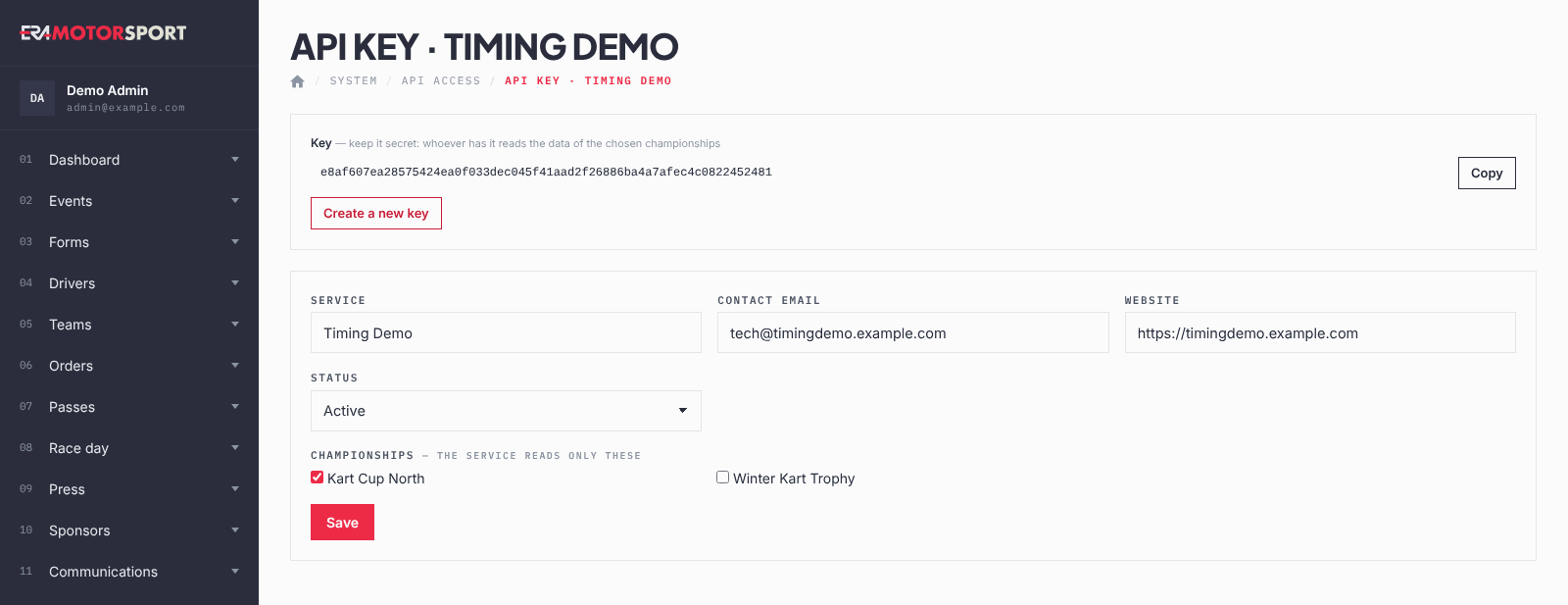
What ERA checks
- The service name and a valid contact email are required.
- At least one championship must be ticked.
- Whoever has the key reads the data of the ticked championships: keep it secret.
- Creating, saving and replacing a key are recorded in the Action log; the key itself is not.
Common problems
| What happens | What to do |
|---|---|
| The supplier receives no data. | Check that the key is Active and the right championships are ticked. |
| The supplier says the key stopped working. | Someone created a new key or disabled it. Open the card and send the current key. |
| The supplier now works on a new championship. | Tick it in the card and save. |
See also
Something does not match what you see in ERA? Write to us from the contact page.