
13 · System
Products What you sell and at what price.
In ERASystem › Products
Who uses itSuperadmin · Organizer
The products of a championship: tyres, fuel, services and everything sold on the website and at the ERA counter.
What it is for
Each product has a name, a price and a place in the list. The website sells it in reservations and in the shop on track, and the counter uses it at the track. When you stop selling a product, hide it: past orders still refer to it.
Before you start
The product categories of the championship must exist: see Product categories. You see the page if your level or your own menu includes it, and you work only on your championships.
Step by step
- Choose championship and category. Go to System › Products, choose the championship at the top, then the Category.
- Add a product. Under New product write the name, the price and the order number, then click Add.
- Change a product. Change name, price or order directly on its row and click Save.
- Stop selling it. Click Hide and confirm. The product is no longer sold; past orders keep it.
- Sell it again. On a hidden product click Put on sale.
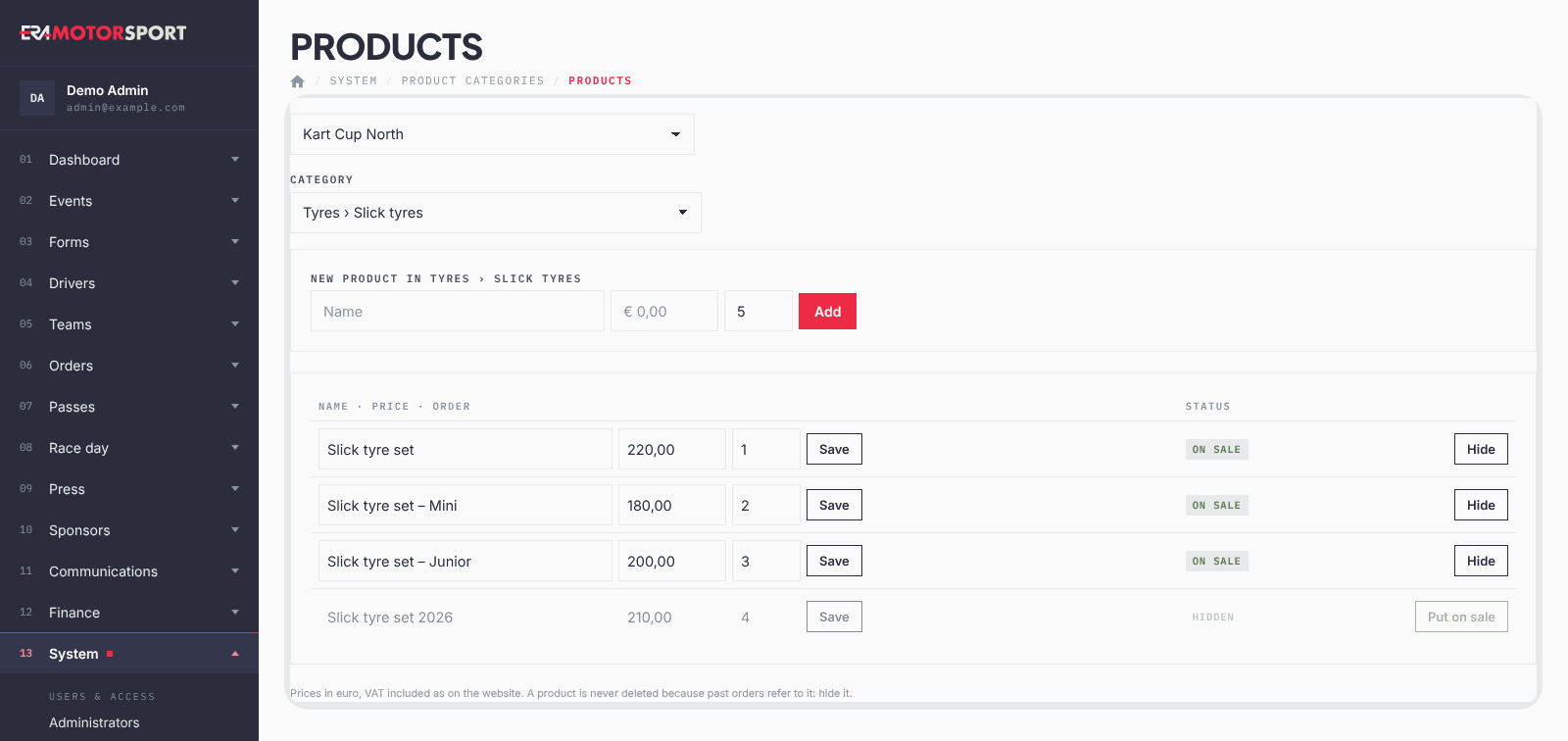
Prices are in euro, VAT included, as on the website.
What ERA checks
- The name is required and the price must be 0 or more.
- A product is never deleted, because past orders and reservations refer to it.
- The product must belong to the category you chose, and the category to one of your championships.
- Every change is recorded in the Action log.
Common problems
| What happens | What to do |
|---|---|
| The category list is empty. | Create the categories first in Product categories. |
| A product is on sale but the website does not show it. | Check that its category is visible, and for the shop on track that the category is sold on track. |
| You need to remove a product made by mistake. | Hide it. |
See also
Something does not match what you see in ERA? Write to us from the contact page.