
13 · System
Product categories How the shop is organized.
In ERASystem › Product categories
Who uses itSuperadmin · Organizer
The categories of the products a championship sells: tyres, fuel, hospitality, services. Each championship has its own.
What it is for
Products are always inside a category. The category also decides whether the website sells its products during the event, in the shop on track. Set up the categories before the season, then add the products in Products.
Before you start
You see the page if your level or your own menu includes it. You work only on your championships.
Step by step
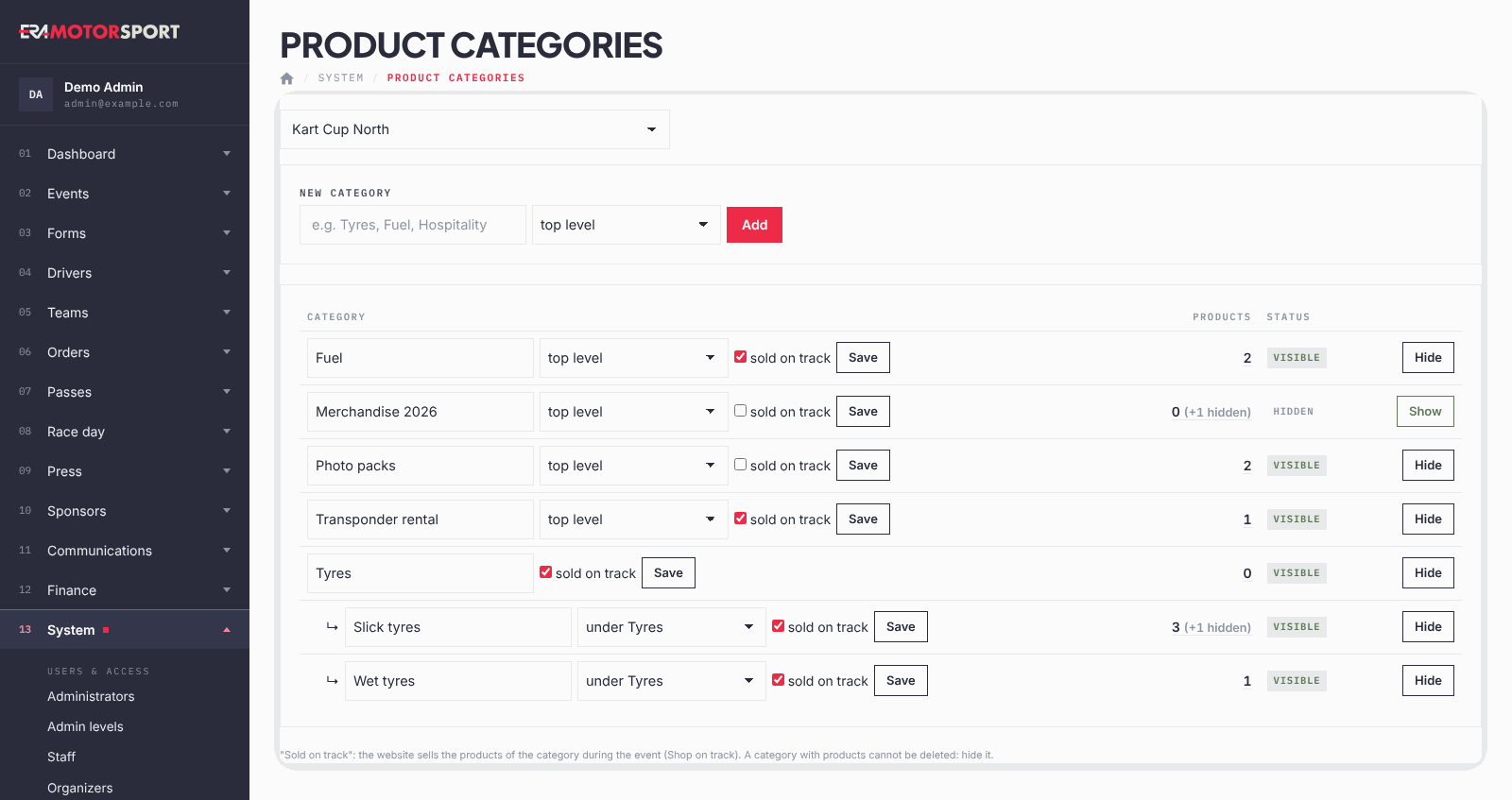
- Choose the championship. Go to System › Product categories and choose the championship at the top.
- Add a category. Write the name under New category. Leave top level, or choose "under" and another category to make it a subcategory. Click Add.
- Sell it on track. On the row of the category tick sold on track and click Save. The website sells its products during the event.
- Rename or move. Change the name or the position (top level or under a category) on the row and click Save.
- Hide or show. Click Hide to stop selling all the products of the category. Show puts it back.
- See the products. The number in the Products column opens the products of the category. Hidden products are counted apart.
What ERA checks
- The name is required.
- There is only one level of subcategories. A category that has subcategories stays at the top level.
- A category with products or subcategories cannot be deleted: hide it. The delete button appears only for an empty category.
- Every change is recorded in the Action log.
Common problems
| What happens | What to do |
|---|---|
| The products of a category are not in the shop on track. | Tick sold on track and check that the category is visible. |
| A category cannot be placed under another one. | The other category is already a subcategory, or this one has subcategories. |
| There is no delete button. | The category has products or subcategories. Hide it instead. |
See also
Something does not match what you see in ERA? Write to us from the contact page.