
13 · System
Staff The people of the event.
In ERASystem › Staff
Who uses itSuperadmin · Organizer
The list of the people who work at the events: marshals, timekeepers, scrutineers and the other officials. From here they get their staff pass.
What it is for
Add each person once, with role, contacts and photo. Then, event by event, you choose who works there: those people get the staff pass of the event. The list is the same for all championships.
Before you start
The page is in the System menu: you see it if your level or your own menu includes it (a superadmin always does). The roles in the Role list are not edited on these pages: to add a role, ask the ERA technical team.
Step by step
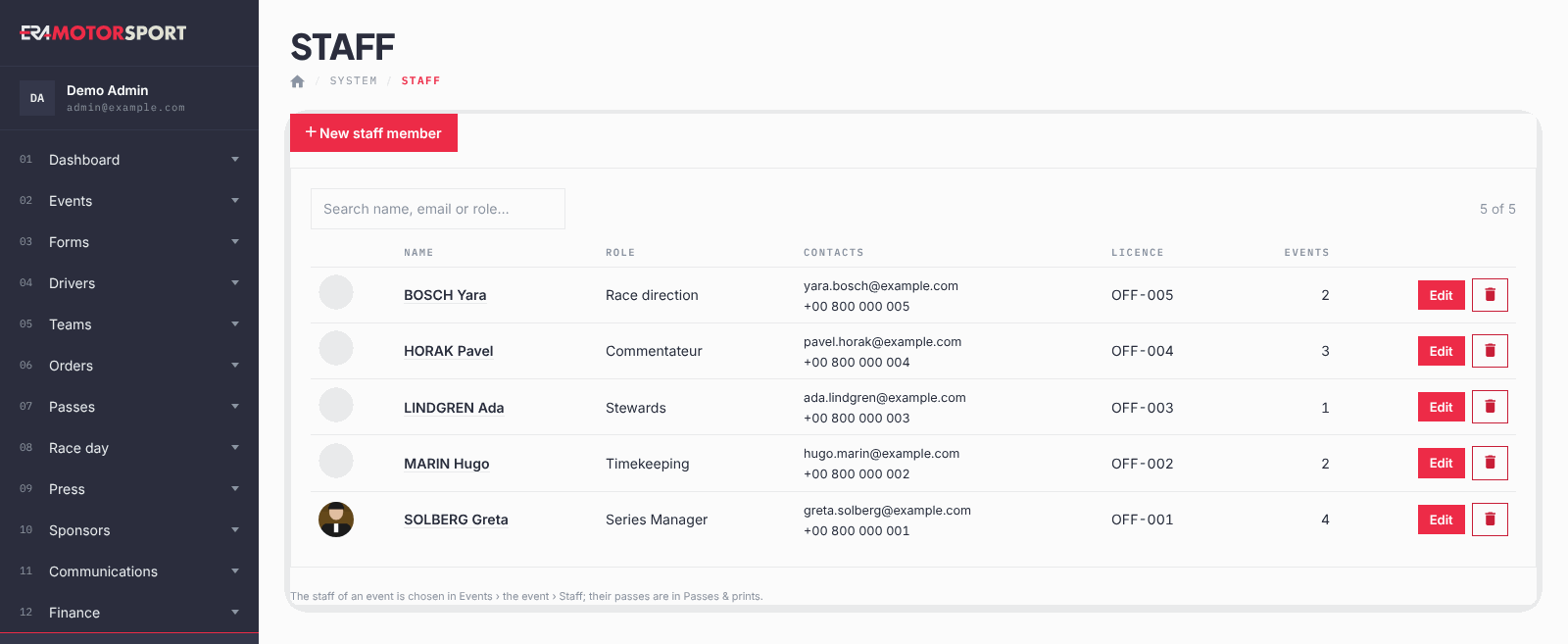
- Open the list. Go to System › Staff. Each row shows Name, Role, Contacts, Licence and how many Events the person is assigned to. Use the search box for name, email or role.
- Add a person. Click New staff member. Write First name and Last name and choose the Role.
- Fill in the rest. Email, Mobile, Licence number and the social links (Facebook, Instagram, X / Twitter) are optional. Add a Photo for the staff pass. Click Create staff member.
- Assign the person to an event. Go to Events › Events and click the staff icon on the row of the event. Tick the people who work at that event and click Save the staff of the event.
- Print the passes. In Events › Events click the print icon next to the staff icon, on the row of the event (only upcoming events have these icons). The PDF has the pass of each person assigned, on the staff background set in Pass templates.
- Delete a person. Click the delete button and confirm. The person is also taken out of every event they were assigned to.
What ERA checks
- First name, last name and role are required.
- The email, if written, must be valid. The social links must be valid web addresses (ERA adds https:// if you leave it out).
- The photo must be a JPG, PNG or WEBP image. If you save without a new photo, the old one stays.
- ERA reduces a large photo by itself when you save (long side 2400 px).
- You can change the staff only of events of your championships.
Common problems
| What happens | What to do |
|---|---|
| The event staff page says there is no staff member. | Add the people in System › Staff first. |
| The pass has no photo. | Open the person and upload a Photo. |
| You cannot find the role you need. | Ask the ERA technical team to add it. |
See also
Something does not match what you see in ERA? Write to us from the contact page.