
13 · System
Poster template The base of the event poster.
In ERASystem › Poster template
Who uses itSuperadmin · Organizer
The background images that ERA uses to make the poster of each event by itself. Everyone with the menu item sees the templates; only a superadmin can add or remove them.
What it is for
Every event can have a poster for the website and the social pages. You choose a template in the event card and ERA draws the poster on it: QR code to the event page on the website, championship logo, date, event name, track with its layout, length and direction, and the sponsor of the championship.
Before you start
Prepare the template as a PNG or JPG image, A4 portrait. The best size is 2480 × 3508 px. The link PSD of the base downloads the base layout to start from.
Step by step
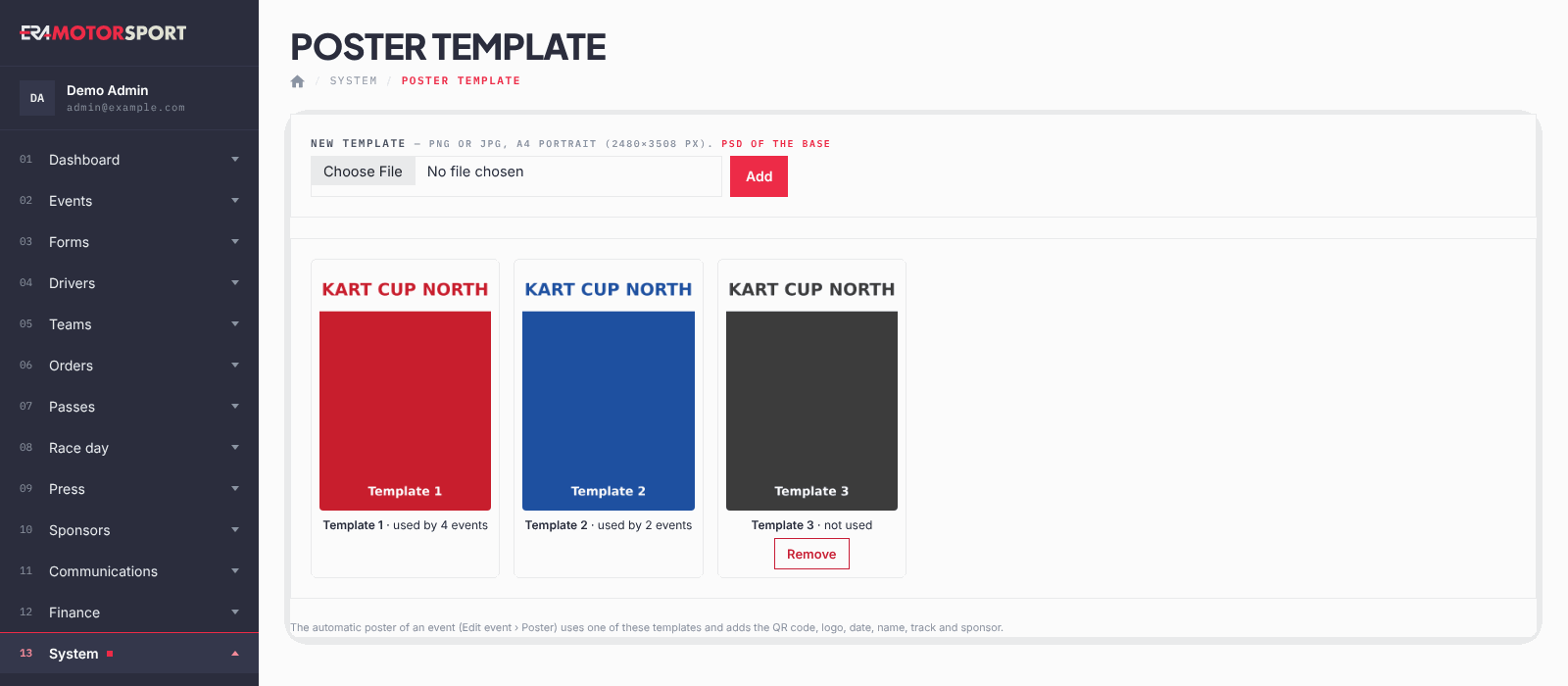
- Open the page. Go to System › Poster template. Each template shows how many events use it, or that it is not used.
- Add a template. Only a superadmin can do this. Under New template choose the image and click Add.
- Use it in an event. Open the event in Events › Events and, in the Poster box, choose the template. ERA makes the poster.
- Remove a template. Only a superadmin can do this, and only for a template no event uses. Click Remove and confirm.
What ERA checks
- Only PNG or JPG images are accepted.
- The template is kept at full resolution for printing: ERA does not reduce it.
- A template used by an event cannot be removed: choose another template for those events first.
Common problems
| What happens | What to do |
|---|---|
| There is no Remove button. | The template is used by at least one event, or you are not a superadmin. |
| The poster has no sponsor or no track layout. | Check the sponsor of the championship and the image of the track in Tracks. |
See also
Something does not match what you see in ERA? Write to us from the contact page.